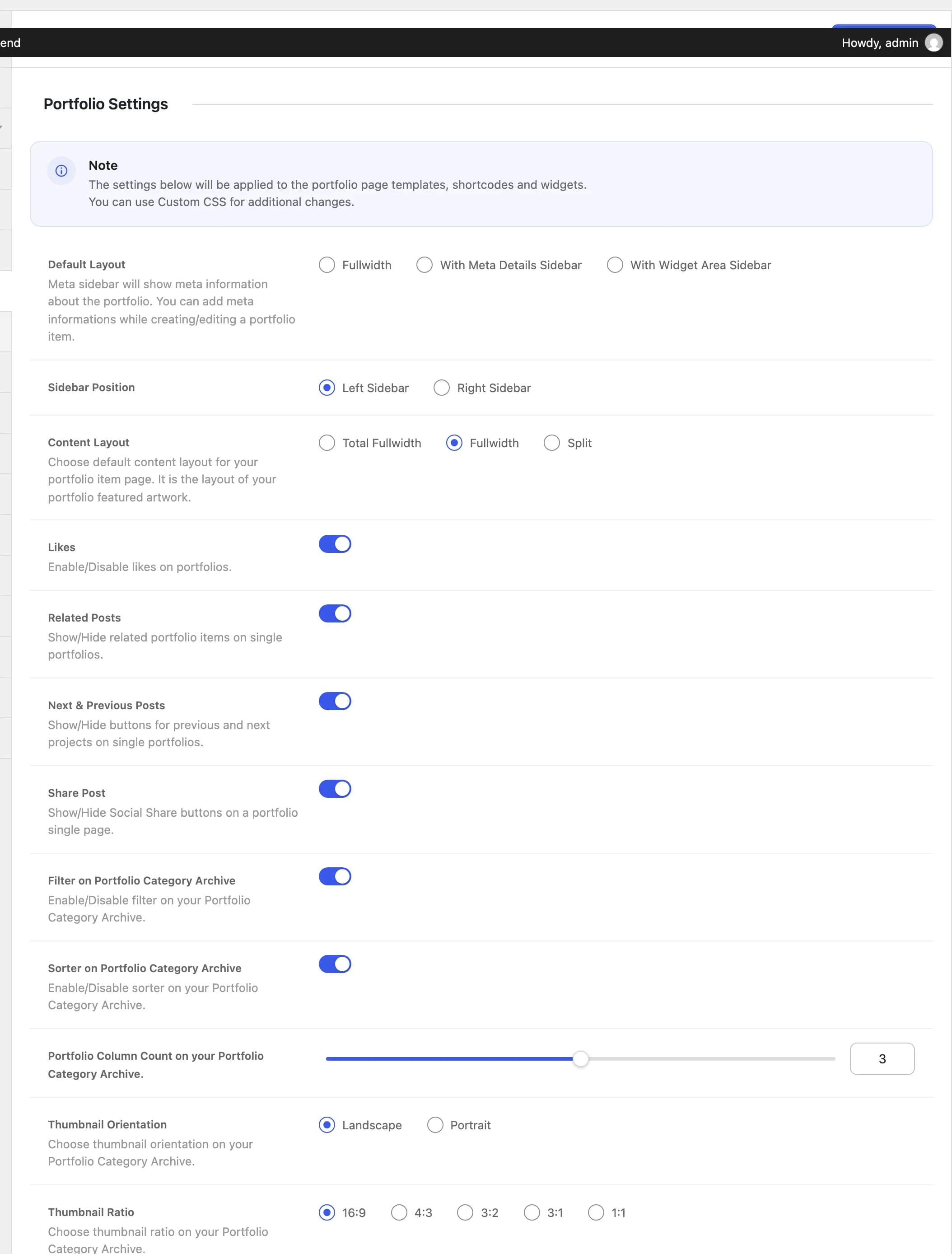
Portfolio Settings
Set the default layout, sidebar, likes, and archive display for Highend's Portfolio post type.
These settings apply to the portfolio page templates, portfolio shortcodes, and portfolio widgets.
Where to find it: Go to HighendHighend OptionsPortfolio Settings.
This tab only appears if the Custom Post Type: Portfolio module is enabled in Highend Modules. It's on by default. If you don't see this tab, check there first.
Single portfolio item
With Meta Details Sidebarhb_portfolio_layoutSidebar layout for single portfolio items: Fullwidth, With Meta Details Sidebar (shows the meta fields you fill in on the portfolio item), or With Widget Area Sidebar (shows a widget area instead).
Left Sidebarhb_portfolio_sidebar_sideWhich side the sidebar renders on, when Default Layout isn't Fullwidth.
Fullwidthhb_portfolio_content_layoutLayout of the featured artwork area on a single portfolio item: Total Fullwidth, Fullwidth, or Split.
Onhb_portfolio_enable_likesLets visitors like a portfolio item.
Onhb_portfolio_enable_related_postsShows related portfolio items at the bottom of the single item.
Onhb_portfolio_enable_next_prevShows next/previous project navigation buttons.
Onhb_portfolio_enable_shareShows a social share box on the single item.
Individual portfolio items can override the sidebar and content layout from the Layout tab of their Highend Settings box; these settings are only the fallback.
Portfolio category archive
Onhb_portfolio_taxonomy_filterShows a category filter above the grid on portfolio category archives.
Onhb_portfolio_taxonomy_sorterShows a sort control above the grid on portfolio category archives.
3hb_portfolio_taxonomy_columnsNumber of columns in the grid, from 2 to 4.
Landscapehb_portfolio_taxonomy_orientationLandscape or Portrait thumbnail orientation for the grid.
16:9hb_portfolio_taxonomy_ratioCrop ratio for grid thumbnails: 16:9, 4:3, 3:2, 3:1, or 1:1.