Page templates
Highend's built-in page templates for blogs, galleries, portfolios, contact forms, logins, and full-screen presentations.
Highend ships 12 page templates you assign from the block editor's Page tab, plus a Maintenance / Coming Soon screen that's controlled from Theme Options instead of chosen per page.
Where to find it: open a page for editing, then in the sidebar's Page tab click Template and choose one.
Most templates add a tab of their own to the page's Highend Settings box, below the content, with settings for that template. The tab appears first in the box and opens as soon as you pick the matching template. A handful of templates need a companion plugin (Slider Revolution, LayerSlider) or module to be active; those are called out below.
Summary
| Template | File | Settings tab |
|---|---|---|
| Blank Template | blank.php | None |
| Blog - Classic | blog.php | Classic Blog Template |
| Blog - Grid | blog-grid.php | Grid Blog Template |
| Blog - Fullwidth | blog-grid-fullwidth.php | Fullwidth Blog Template |
| Blog - Minimal | blog-minimal.php | Minimal Blog Template |
| Contact Template | contact.php | Contact Template |
| Gallery - Standard | gallery-standard.php | Standard Gallery Template |
| Gallery - Fullwidth | gallery-fullwidth.php | Fullwidth Gallery Template |
| Login Page | login.php | None |
| Portfolio - Simple | portfolio-simple.php | Portfolio Template |
| Portfolio - Standard | portfolio-standard.php | Portfolio Template |
| Scrolling Presentation | presentation-fullwidth.php | Presentation |
| Maintenance / Coming Soon | maintenance.php | Not selectable: turned on from Theme Options |
Every page, whatever its template, also has the Title, Layout, Header, Footer, Featured Section, Background and Advanced tabs. See Page settings.
Blank Template
blank.php renders the header, your content in a single full-width column, and the footer, with no sidebar. Use it as a canvas for a page built entirely from WPBakery rows.
Blog - Classic
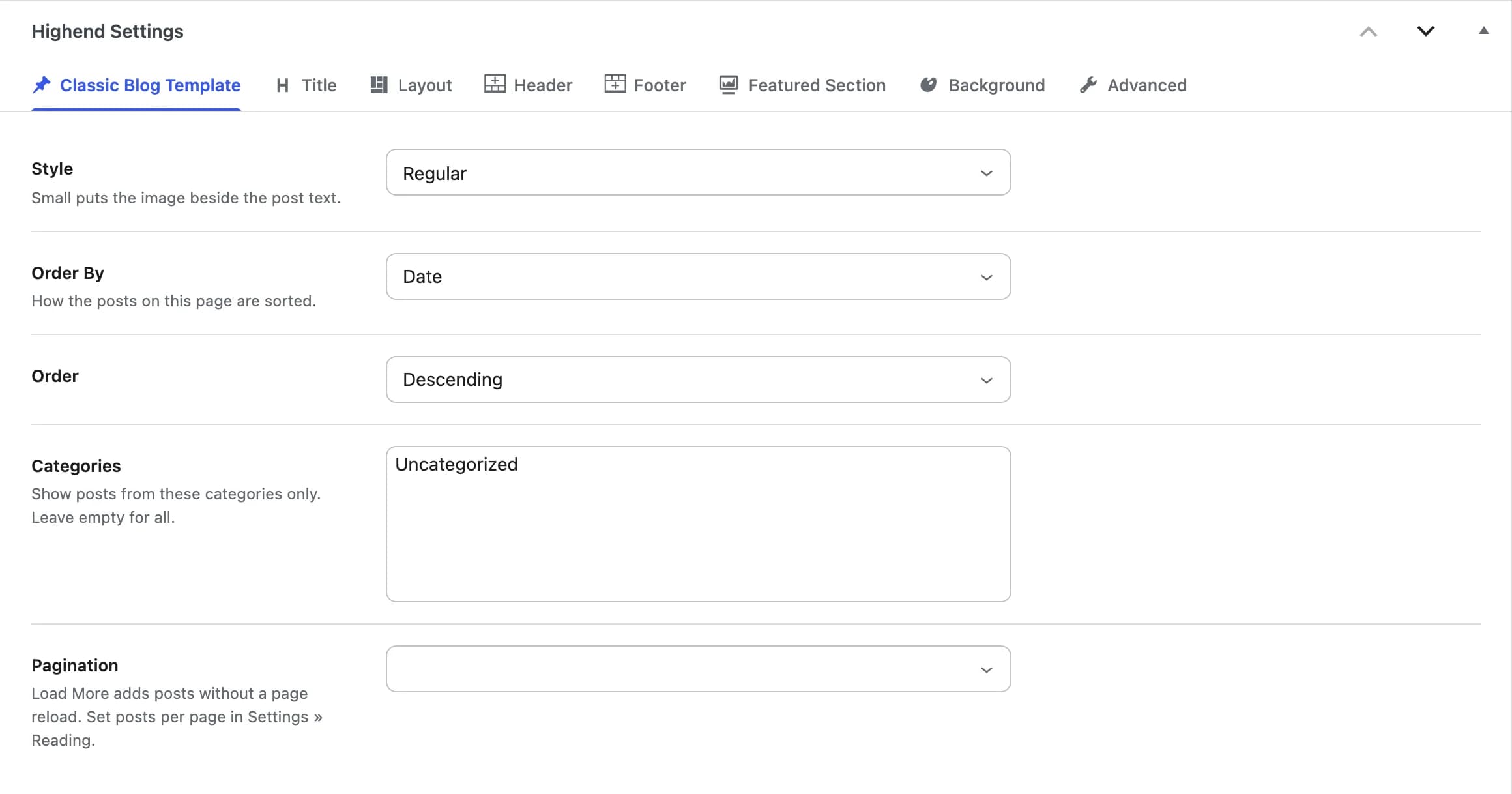
A single-column list of posts with pagination, using the query and pagination style you choose in the Classic Blog Template tab.
Regularhb_blog_styleRegular or Small. Small puts the image beside the post text.
Datehb_query_orderbyHow the posts are sorted: Date, Title, Comment Count, Menu Order, or Random.
Descendinghb_query_orderAscending or Descending.
hb_blog_category_includeShow posts from these categories only. Leave empty for all categories.
hb_pagination_styleStandard or Load More, which adds posts without a page reload. Left empty, it follows the Default Pagination Style in Highend Options. Set the number of posts per page in SettingsReading.
Blog - Grid
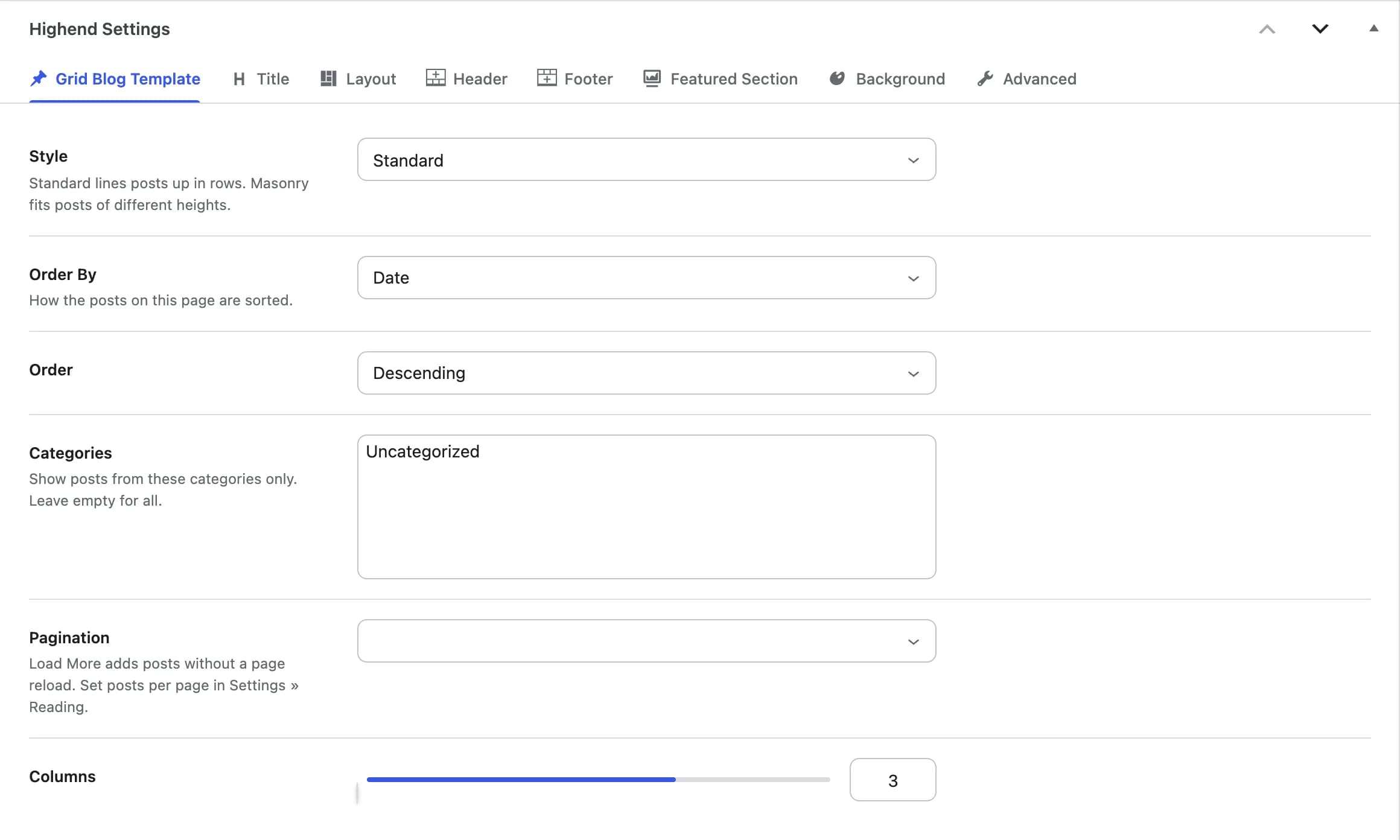
The same post query as Blog - Classic, laid out in a multi-column grid. Settings are in the Grid Blog Template tab.
Standardhb_grid_styleStandard lines posts up in rows. Masonry fits posts of different heights.
Datehb_query_orderbyDate, Title, Comment Count, Menu Order, or Random.
Descendinghb_query_orderAscending or Descending.
hb_blog_category_includeShow posts from these categories only. Leave empty for all categories.
hb_pagination_styleStandard or Load More. Left empty, it follows the Default Pagination Style in Highend Options.
3hb_grid_columnsNumber of columns, from 1 to 4.
Blog - Fullwidth
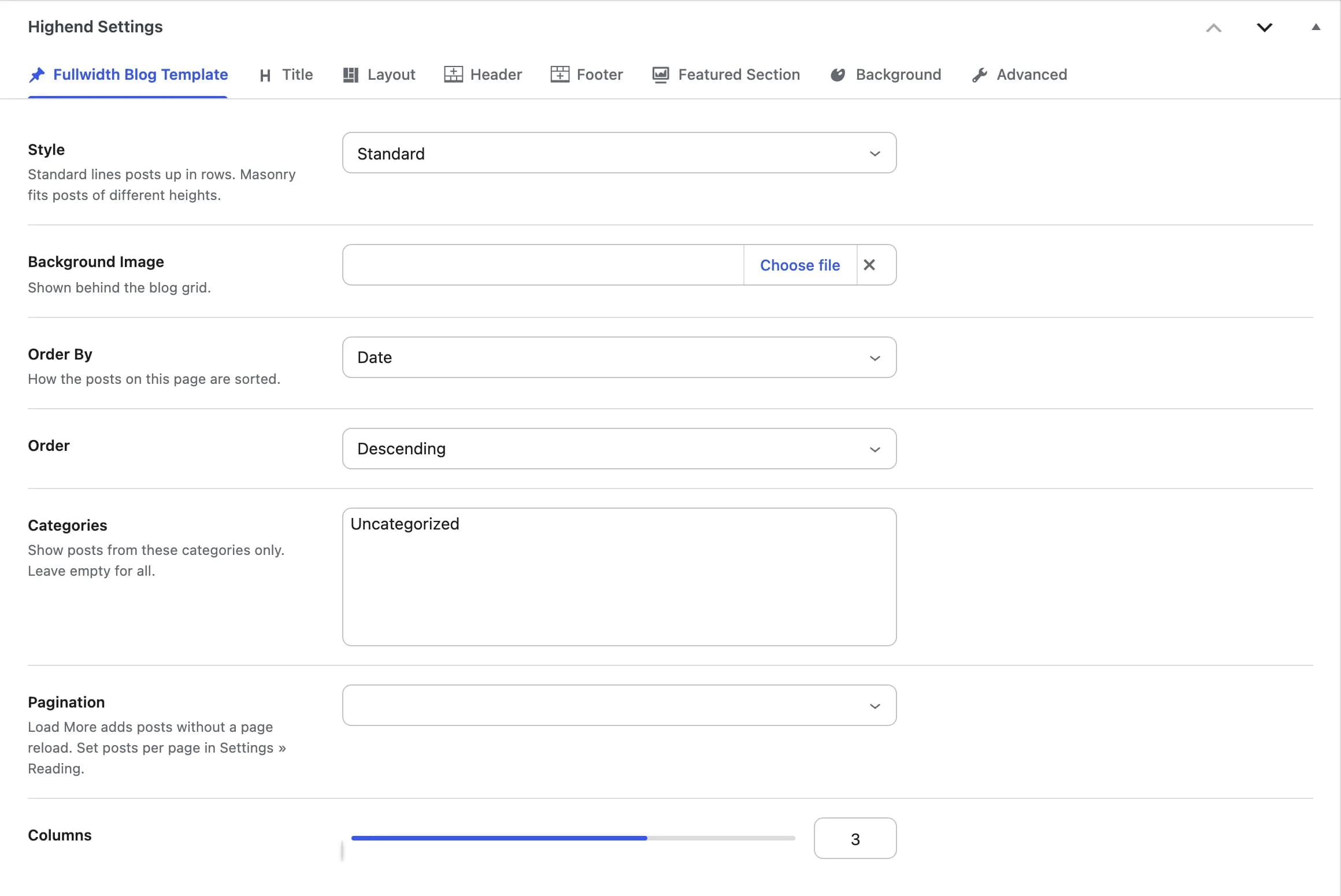
An edge-to-edge version of the grid, optionally over a background image. Settings are in the Fullwidth Blog Template tab.
Standardhb_grid_styleStandard lines posts up in rows. Masonry fits posts of different heights.
hb_background_imageShown behind the blog grid.
Datehb_query_orderbyDate, Title, Comment Count, Menu Order, or Random.
Descendinghb_query_orderAscending or Descending.
hb_blog_category_includeShow posts from these categories only. Leave empty for all categories.
hb_pagination_styleStandard or Load More. Left empty, it follows the Default Pagination Style in Highend Options.
3hb_grid_columnsNumber of columns, from 1 to 4.
Blog - Minimal
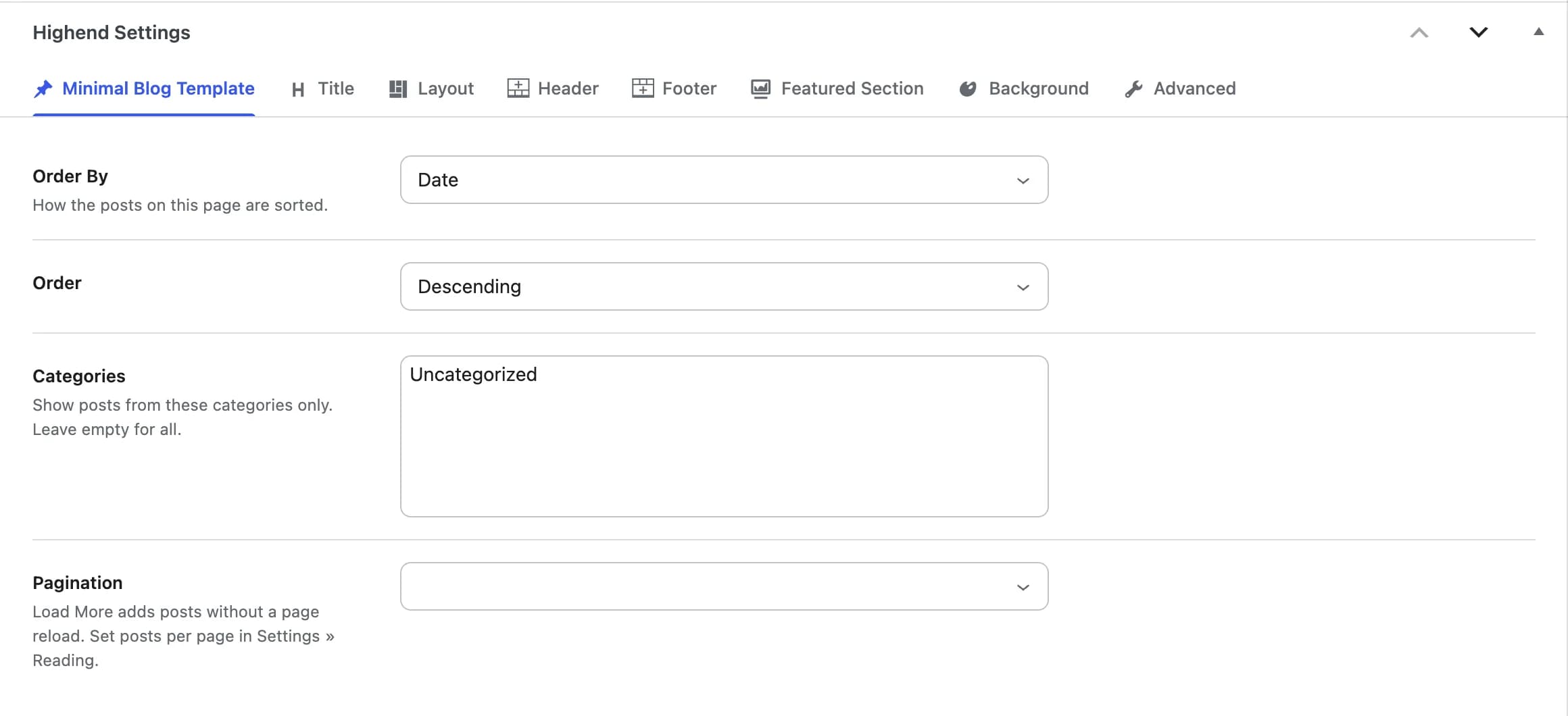
A stripped-down post list with the same ordering, category, and pagination controls as the other blog templates but no style or column choice. Settings are in the Minimal Blog Template tab.
Datehb_query_orderbyDate, Title, Comment Count, Menu Order, or Random.
Descendinghb_query_orderAscending or Descending.
hb_blog_category_includeShow posts from these categories only. Leave empty for all categories.
hb_pagination_styleStandard or Load More. Left empty, it follows the Default Pagination Style in Highend Options.
Contact Template
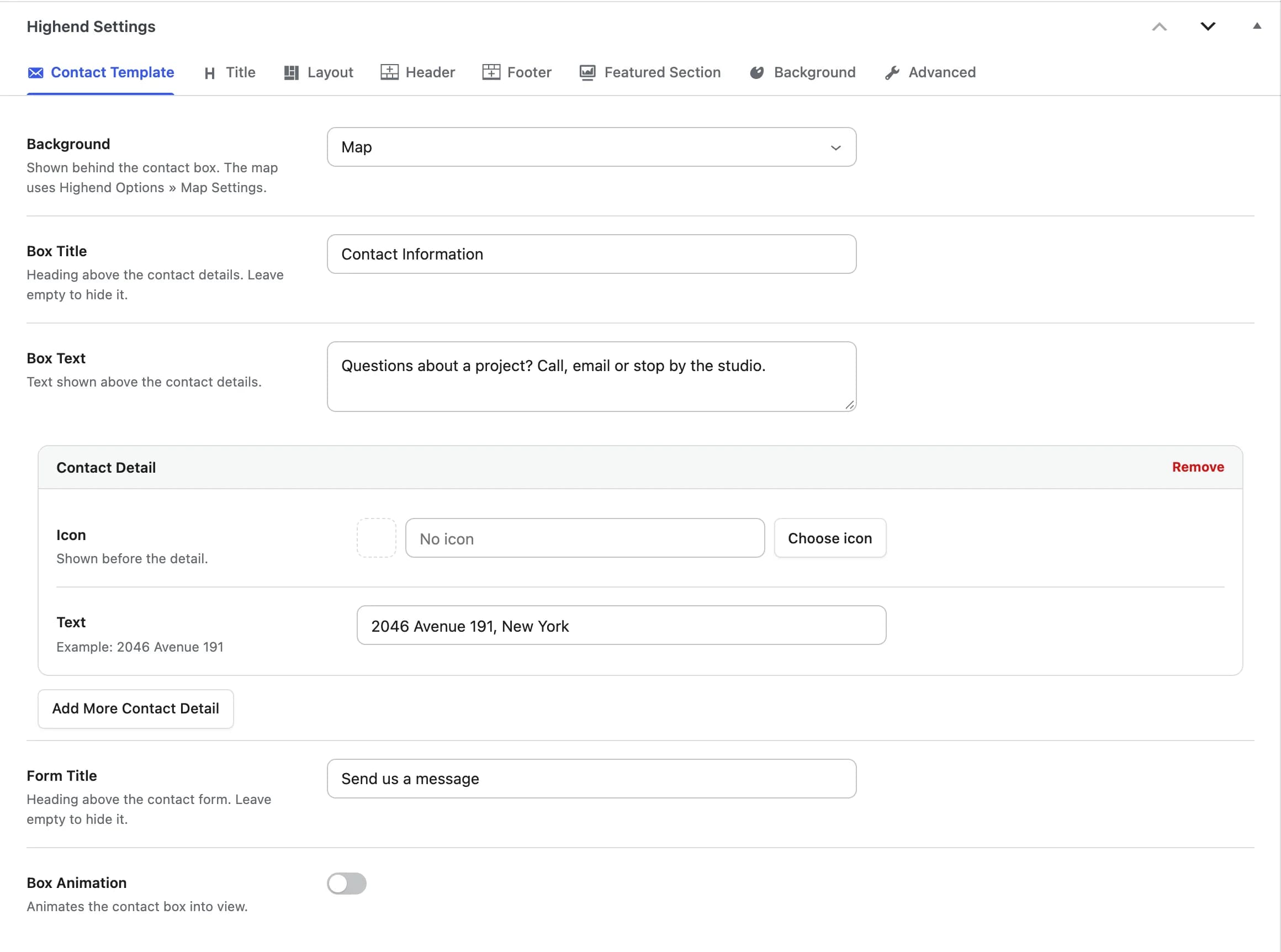
A map or image background behind a contact details box and a contact form. The form (name, email, subject, message) works out of the box: it emails the address set in Theme Options > Contact over AJAX, no plugin required. Swap in a Contact Form 7 shortcode instead if you need more fields. Settings are in the Contact Template tab.
hb_contact_backgroundMap or Image, shown behind the contact box. The map uses the provider and locations from Theme Options > Map Settings. Left empty, there's no background.
hb_contact_background_imageShown when Background is set to Image.
Contact Informationhb_contact_titleHeading above your contact details. Leave empty to hide it.
hb_contact_contentText shown above the contact details.
hb_contact_detailsOne entry per address, phone, email or other detail, each with an Icon (shown before the detail) and its Text.
Send us a messagehb_contact_form_titleHeading above the contact form. Leave empty to hide it.
Offhb_contact_box_enable_animationAnimates the contact box into view.
hb_contact_box_animationWhich entrance animation the contact box uses. Shown when Box Animation is on.
Gallery - Standard
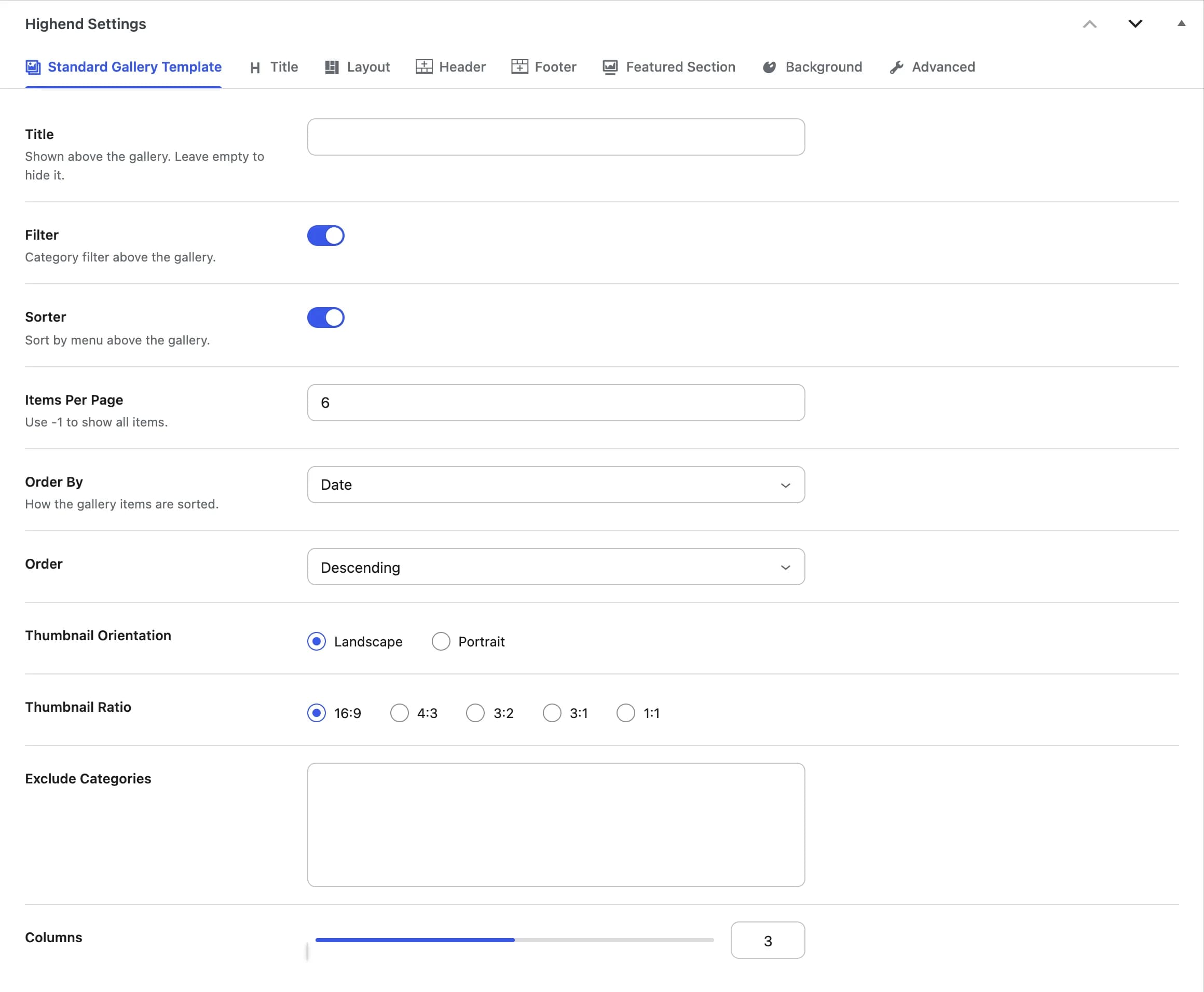
A filterable, sortable grid of items from the Gallery post type, inside the normal boxed content column. Settings are in the Standard Gallery Template tab.
hb_gallery_titleShown above the gallery. Leave empty to hide it.
Onhb_gallery_filterCategory filter above the gallery.
Onhb_gallery_sorterSort by menu above the gallery.
6hb_gallery_posts_per_pageUse -1 to show all items.
Datehb_query_orderbyDate, Title, Comment Count, Menu Order, or Random.
Descendinghb_query_orderAscending or Descending.
Landscapehb_gallery_orientationLandscape or Portrait.
16:9hb_gallery_ratio16:9, 4:3, 3:2, 3:1, or 1:1.
hb_gallery_categoriesGallery categories to leave out of this page.
3hb_gallery_columnsNumber of columns, from 2 to 4.
Gallery - Fullwidth
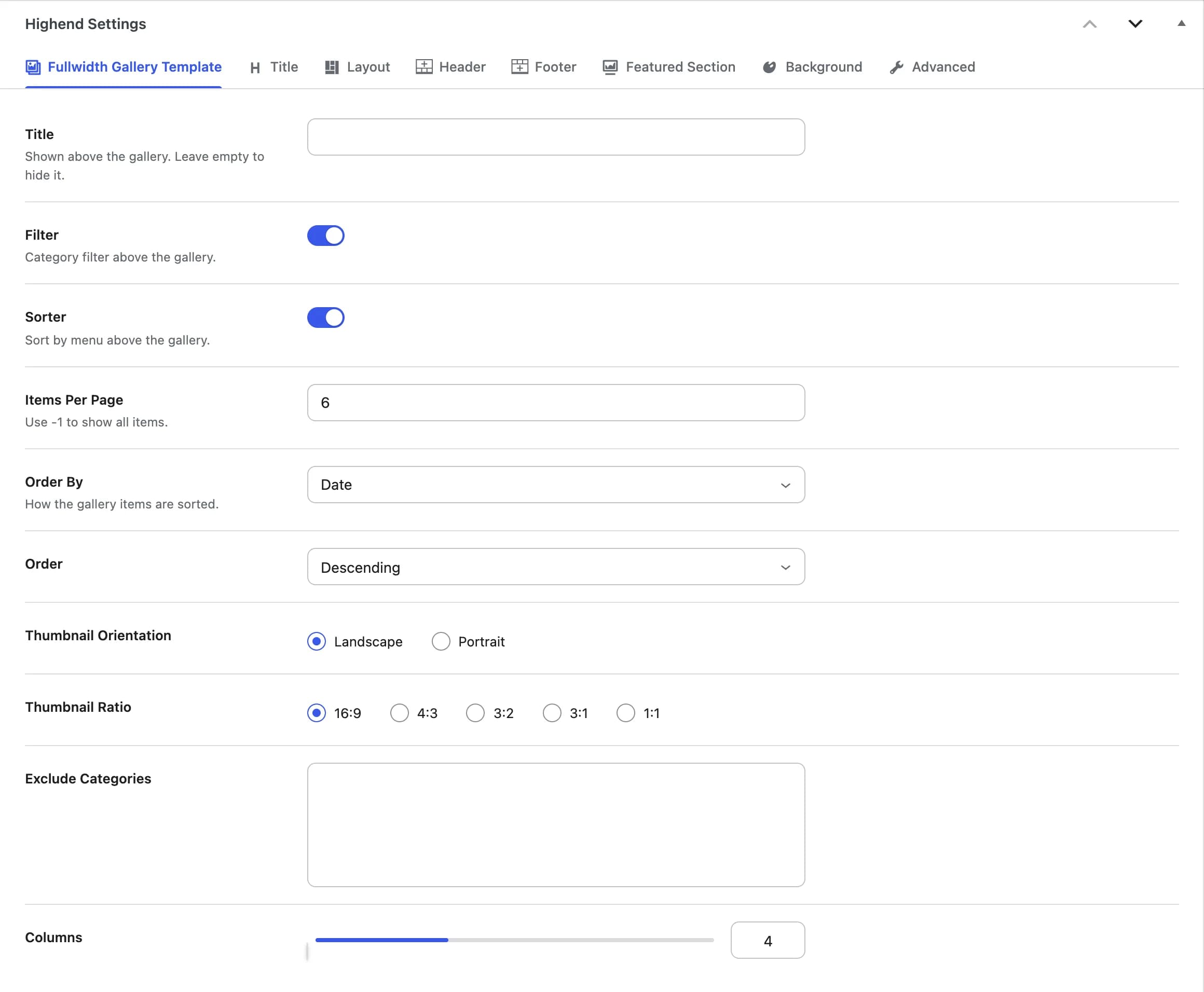
The same gallery grid, edge-to-edge instead of in the boxed content column. The Fullwidth Gallery Template tab has the same fields as Gallery - Standard, except Columns runs from 3 to 6 (default 4) since there's no sidebar to make room for.
Login Page
A custom username/password/remember-me form (not the standard wp-login.php form) with a Register link that appears if Anyone can register is turned on in Settings > General. Once you're logged in, it shows your avatar and a link to your dashboard instead. Any content you add in the editor appears above the form. Has no settings tab of its own.
Portfolio - Simple
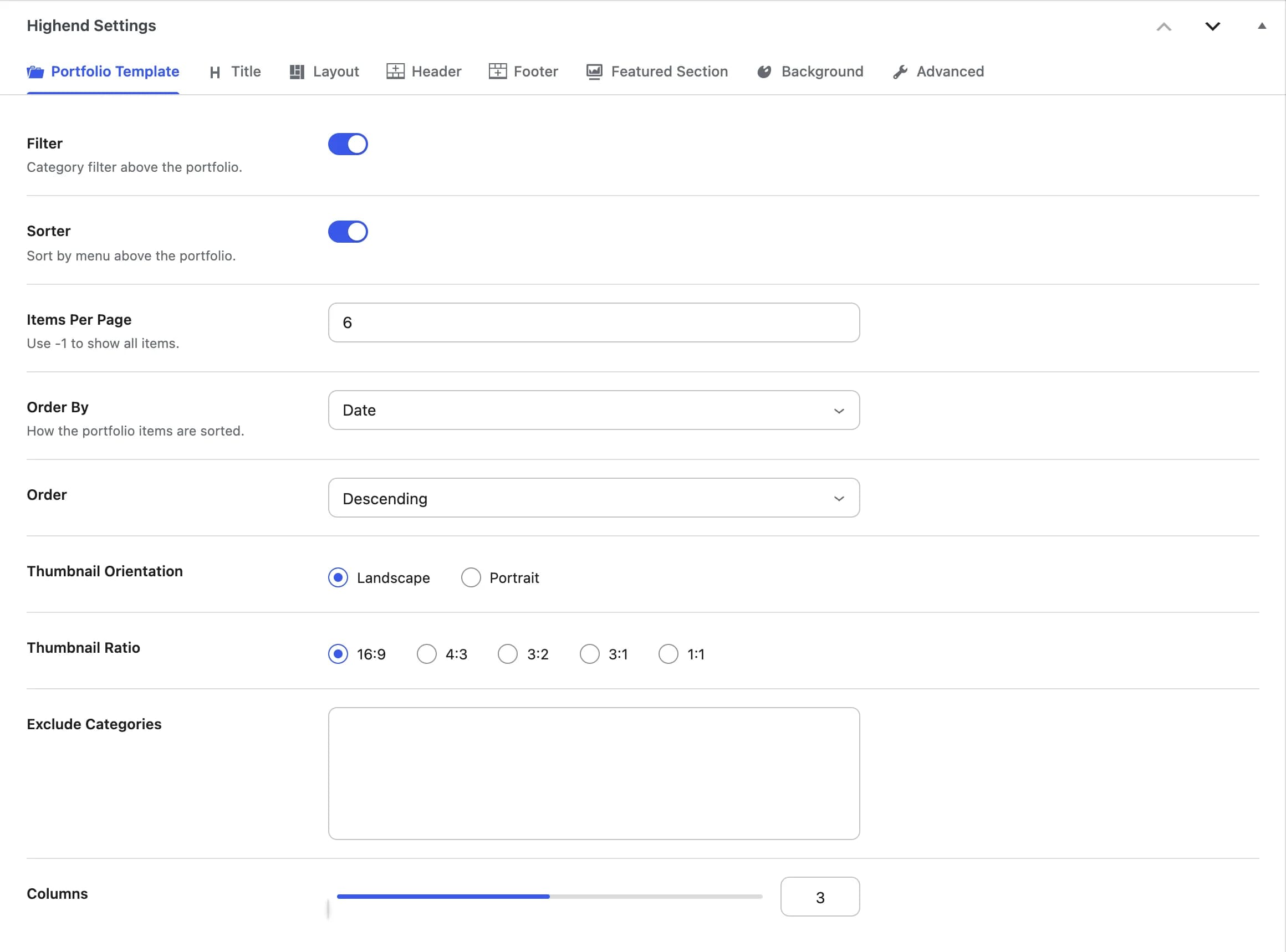
A filterable grid of Portfolio items where each thumbnail shows the title and an excerpt underneath it. Settings are in the Portfolio Template tab.
Onhb_gallery_filterCategory filter above the portfolio.
Onhb_gallery_sorterSort by menu above the portfolio.
6hb_portfolio_posts_per_pageUse -1 to show all items.
Datehb_query_orderbyDate, Title, Comment Count, Menu Order, or Random.
Descendinghb_query_orderAscending or Descending.
Landscapehb_gallery_orientationLandscape or Portrait.
16:9hb_gallery_ratio16:9, 4:3, 3:2, 3:1, or 1:1.
hb_gallery_categoriesPortfolio categories to leave out of this page.
3hb_gallery_columnsNumber of columns, from 2 to 4.
Portfolio - Standard
Same fields and query as Portfolio - Simple, above. The difference is on the front end: each thumbnail's caption also shows the item's category names, publish date, and a Details link (plus a like count if Likes is on in Theme Options > Portfolio), on top of the title and excerpt Portfolio - Simple already shows.
Portfolio - Simple and Portfolio - Standard both use the Portfolio Template tab: the fields are identical either way.
Scrolling Presentation
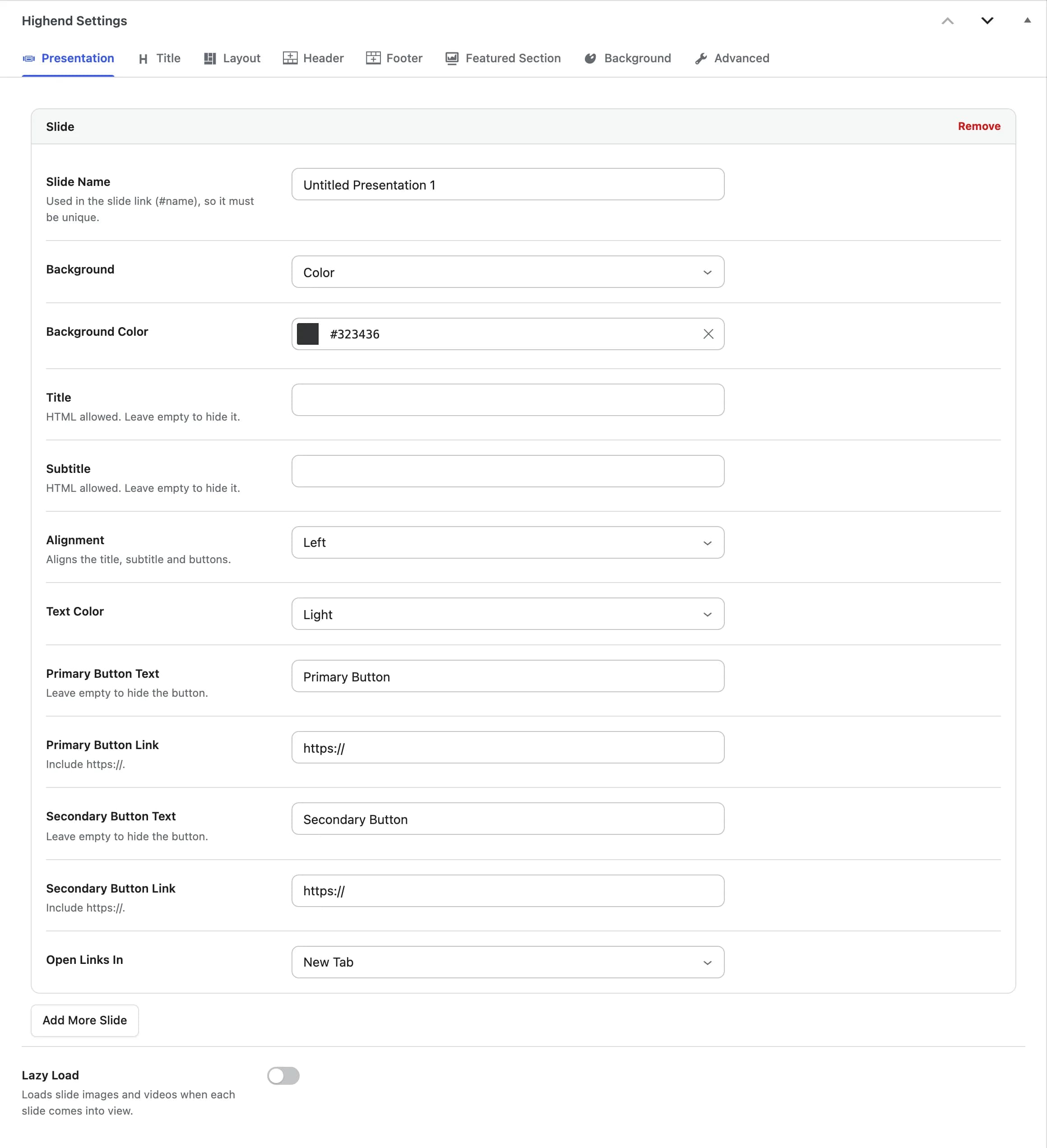
A full-screen, section-by-section scrolling presentation: each slide is its own background (color, image, or video) with a title, subtitle, and up to two buttons. Settings are in the Presentation tab.
hb_presentation_itemsOne entry per slide. Each slide fills the screen. Drag slides to reorder them. See the fields below.
Offhb_presentation_items_lazy_loadLoads slide images and videos when each slide comes into view.
Each slide has:
Untitled Presentation 1hb_presentation_nameUsed in the slide's link (#name), so it must be unique on the page.
Colorhb_presentation_typeColor, Image, or Video.
#323436hb_presentation_colorShown when Background is Color.
hb_presentation_imageShown when Background is Image. Suggested size: 1920 x 1080px.
hb_presentation_mobile_imageShown when Background is Video. Displayed instead of the video on tablets and phones. Suggested size: 1920 x 1080px.
hb_presentation_video_mp4URL of the MP4 file.
hb_presentation_video_webmURL of the WebM file.
hb_presentation_titleHTML allowed. Leave empty to hide it.
hb_presentation_subtitleHTML allowed. Leave empty to hide it.
Lefthb_presentation_title_positionAligns the title, subtitle and buttons: Left, Center, or Right.
Lighthb_presentation_styleLight or Dark text for this slide.
Primary Buttonhb_presentation_primary_button_textLeave empty to hide the button.
https://hb_presentation_primary_button_linkInclude the https:// prefix.
Secondary Buttonhb_presentation_secondary_button_textLeave empty to hide the button.
https://hb_presentation_secondary_button_linkInclude the https:// prefix.
New Tabhb_presentation_targetNew Tab or Same Tab.
Maintenance / Coming Soon
maintenance.php isn't a template you pick on a page. It's rendered automatically for every visitor (except logged-in admins) once you turn on maintenance mode in Theme Options > Coming Soon, which is where its logo, background, countdown, and content are configured.
The Portfolio and Gallery modules must be enabled for the Portfolio and Gallery page templates to even appear in the Template dropdown. Highend removes them from the list entirely when the matching module is off.