Theme license
Activate your Highend license to unlock theme updates, the prebuilt websites, and premium plugins.
Highend works out of the box, but several features stay locked until you activate your license: theme updates, the prebuilt websites, premium plugins, and direct support from HB-Themes.
Where to find it: Go to HighendTheme License.
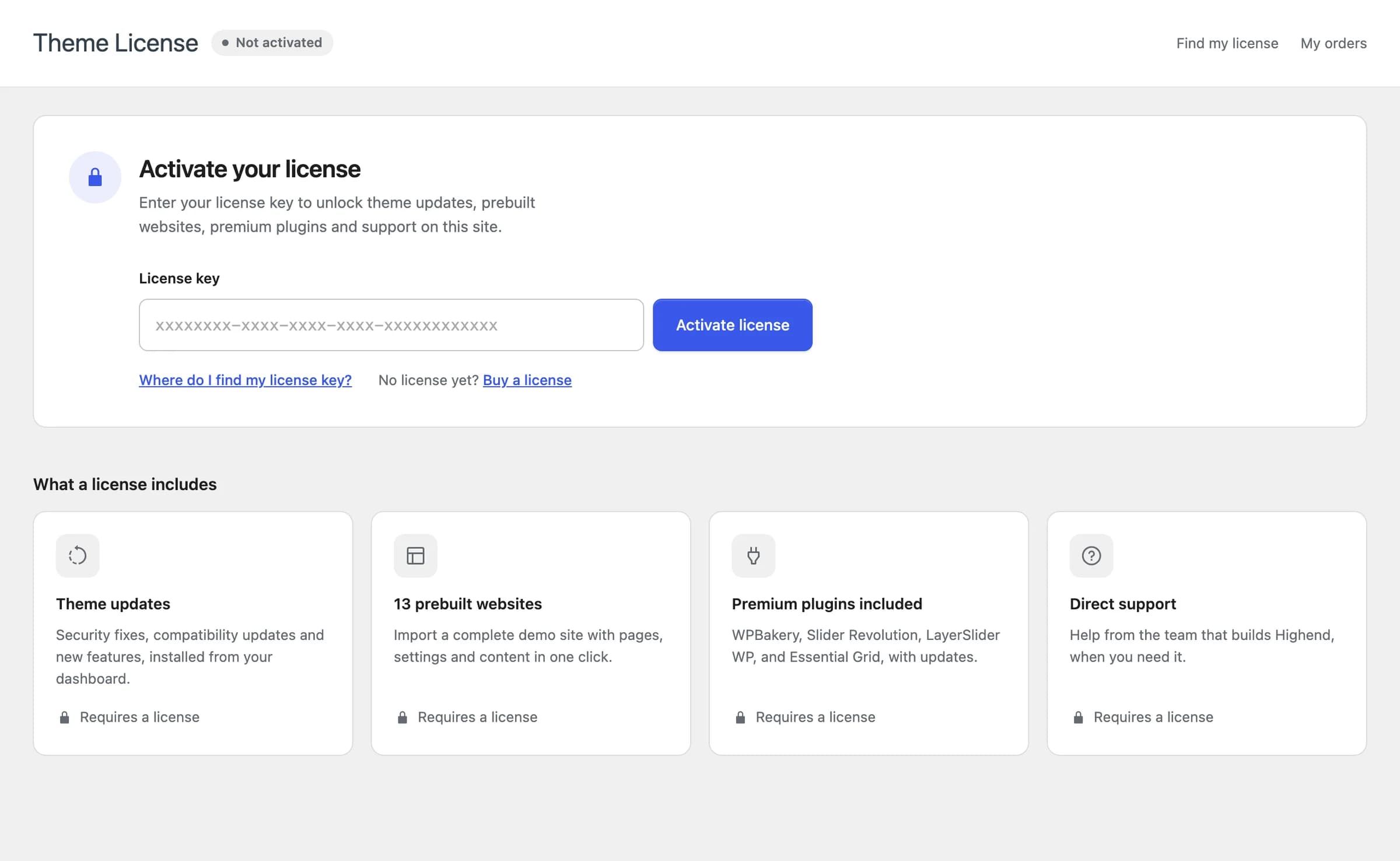 The four things a license unlocks: theme updates, prebuilt websites, premium plugins, and support.
What a license unlocks
| Theme updates | Security fixes, compatibility updates, and new features, installed from your dashboard. |
| 17 prebuilt websites | Import a complete demo site with pages, settings, and content in one click. |
| Premium plugins included | WPBakery, Slider Revolution, LayerSlider WP, and Essential Grid, with updates and no separate plugin licenses needed. |
| Direct support | Help from the team that builds Highend, when you need it. |
WPBakery is required for Highend's elements to work, and it's installed from the Install Plugins page, which needs your Highend license to be active. You don't need a separate WPBakery license.
Activate your license
Find your license key
HB-Themes sells Highend through Lemon Squeezy, so your license key is in your order confirmation email and in your Lemon Squeezy account under My orders. Don't have one yet? Click Buy a license on the Theme License page.
Paste it in and activate
Paste the key into the License key field and click Activate license. Highend validates it against your site's address and unlocks the features above immediately.
Watch for the status dot
Once active, Theme License in the menu shows a green dot. An amber dot means your license has expired; a red dot means it isn't activated on this site (the Theme License page itself shows this as Not activated). In both cases, updates and premium features pause until you renew or activate a license.
Site limit
A license can be active on a limited number of sites at once. The Theme License page shows how many you've used (for example, "Sites: 1 of 3"). If you've reached the limit, deactivate the license on a site you no longer use before activating a new one.
Move your license to another site
Deactivate on the old site
On the site you're moving away from, go to HighendTheme License, click Deactivate on this site, then confirm. This frees up the site slot without uninstalling anything. Your existing pages and plugins keep working, you just stop getting theme updates and premium plugin installs until you activate again.
Activate on the new site
On the new site, paste the same license key on its Theme License page and click Activate license.