Blog Settings
Control excerpts, post meta, likes, and other elements on blog listing and single post pages.
These settings apply to Highend's blog page templates, the blog shortcodes, and the blog widgets, not to WooCommerce or custom post type archives.
Where to find it: Go to HighendHighend OptionsBlog Settings.
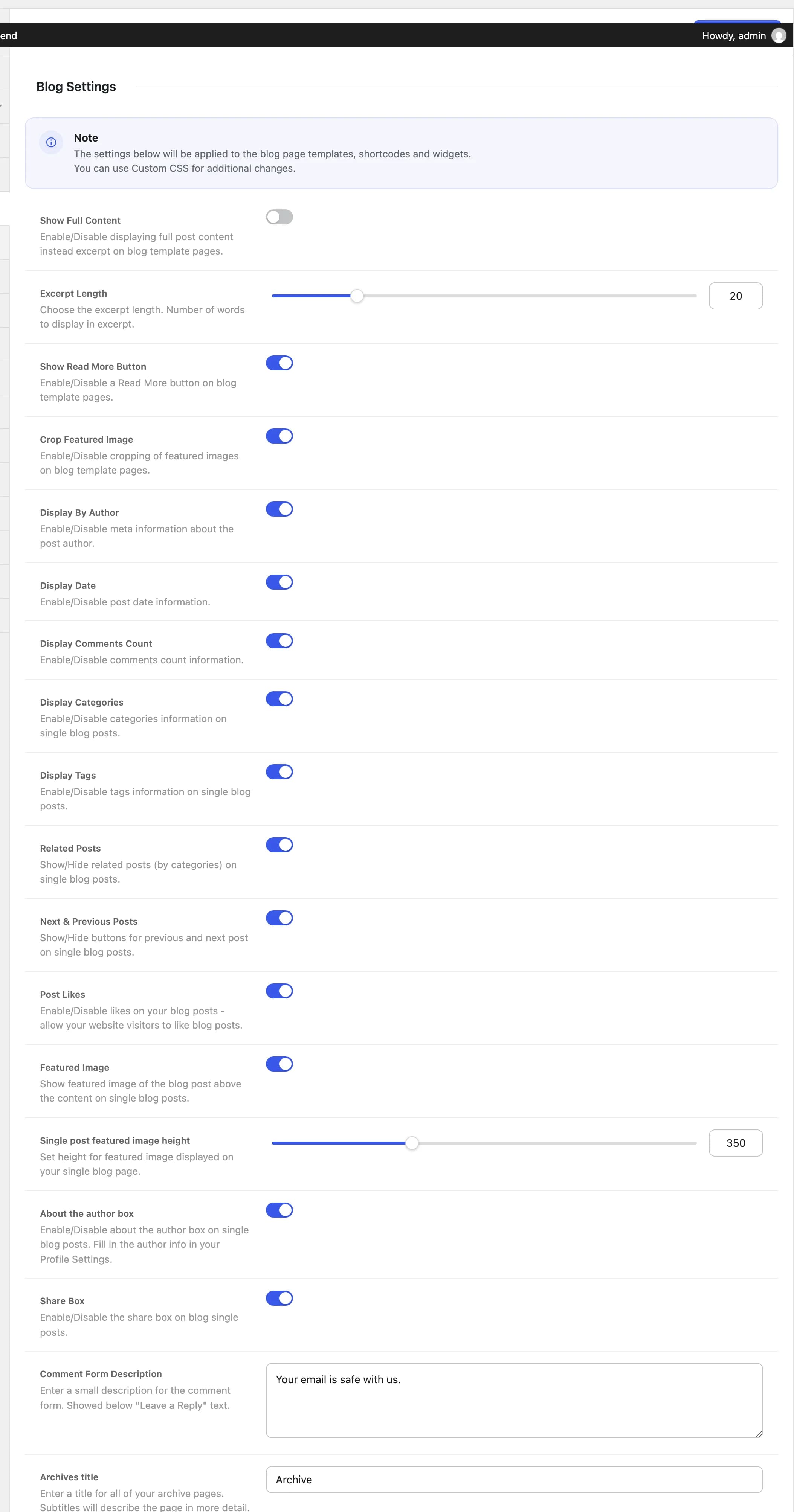
Post listings
These control blog archive, category, and blog-shortcode listings.
Offhb_blog_excerpt_disableShows each post's full content on listing pages instead of an excerpt.
20hb_blog_excerpt_lengthNumber of words to show in the excerpt. Only appears when Show Full Content is off.
Onhb_blog_read_more_buttonAdds a Read More button below each excerpt on listing pages.
Onhb_blog_enable_image_croppingCrops featured images to a consistent size on listing pages instead of showing them at their native aspect ratio.
Onhb_blog_enable_by_authorShows the post author in the meta info.
Onhb_blog_enable_dateShows the publish date in the meta info.
Onhb_blog_enable_commentsShows the number of comments in the meta info.
Onhb_blog_enable_likesLets visitors like a blog post. Likes are counted per browser using a cookie, not per logged-in user.
Single posts
Onhb_blog_enable_categoriesShows the post's categories on the single post page.
Onhb_blog_enable_tagsShows the post's tags on the single post page.
Onhb_blog_enable_related_postsShows related posts (posts that share at least one tag) at the bottom of the single post.
Onhb_blog_enable_next_prevShows next/previous post navigation buttons on the single post.
Onhb_blog_enable_featured_imageShows the featured image above the content on the single post.
350hb_blog_image_heightHeight, in pixels, of the featured image on the single post. Only appears when Featured Image is on.
Onhb_blog_author_infoShows an author bio box below the content, using the author's Biographical Info from their WordPress profile.
Onhb_blog_enable_shareShows a social share box on the single post. See Social Links for which networks appear.
Your email is safe with us.hb_comment_form_textText shown below "Leave a Reply" on the comment form.
Archives
Archivehb_archives_titleTitle shown at the top of date, author, and tag archive pages.