Slider Revolution and LayerSlider
Highend bundles both slider plugins and can use either one as a page's featured section or dropped into a row.
Highend bundles two slider builders, Slider Revolution and LayerSlider, as premium plugins, the same as WPBakery. Which one (or both, or neither) you install depends on which demo or layout you're building.
Where to find it: Go to HighendInstall Plugins to install either one.
Both are premium plugins included with your Highend license. You don't need separate licenses for them. They're downloaded from HB-Themes' own repository, not WordPress.org, and installing or updating them just needs your Highend license to be active. See Install plugins and Theme License. Buying a license directly from a plugin's developer is optional: it only unlocks extras such as the plugin's own template library. Because they're not on WordPress.org, update them from Highend's Install Plugins screen, not the regular WordPress "Plugins" update list.
What Highend's integration does
Once a plugin is active, Highend quietly removes its admin notices through a small per-plugin compatibility class (includes/compatibility/class-highend-revslider.php for Slider Revolution, class-highend-layerslider.php for LayerSlider) plus shared housekeeping in hbframework/integrations.php:
- Slider Revolution is told it's bundled with a theme, the same handshake WPBakery gets, so it runs in bundled mode without asking you to activate it.
- Both plugins have their activation notices removed from the Plugins list screen.
- Both plugins are stopped from redirecting to their own post-activation welcome screen, so activating one from Install Plugins doesn't redirect you away from what you were doing.
Put a slider in the page header
Every page and team member profile has a Featured Section tab in its Highend Settings box. Set Type to Revolution Slider or Layer Slider (both options only appear once you have at least one slider built in the matching plugin), then pick which one to show. See Page settings for the rest of that tab.
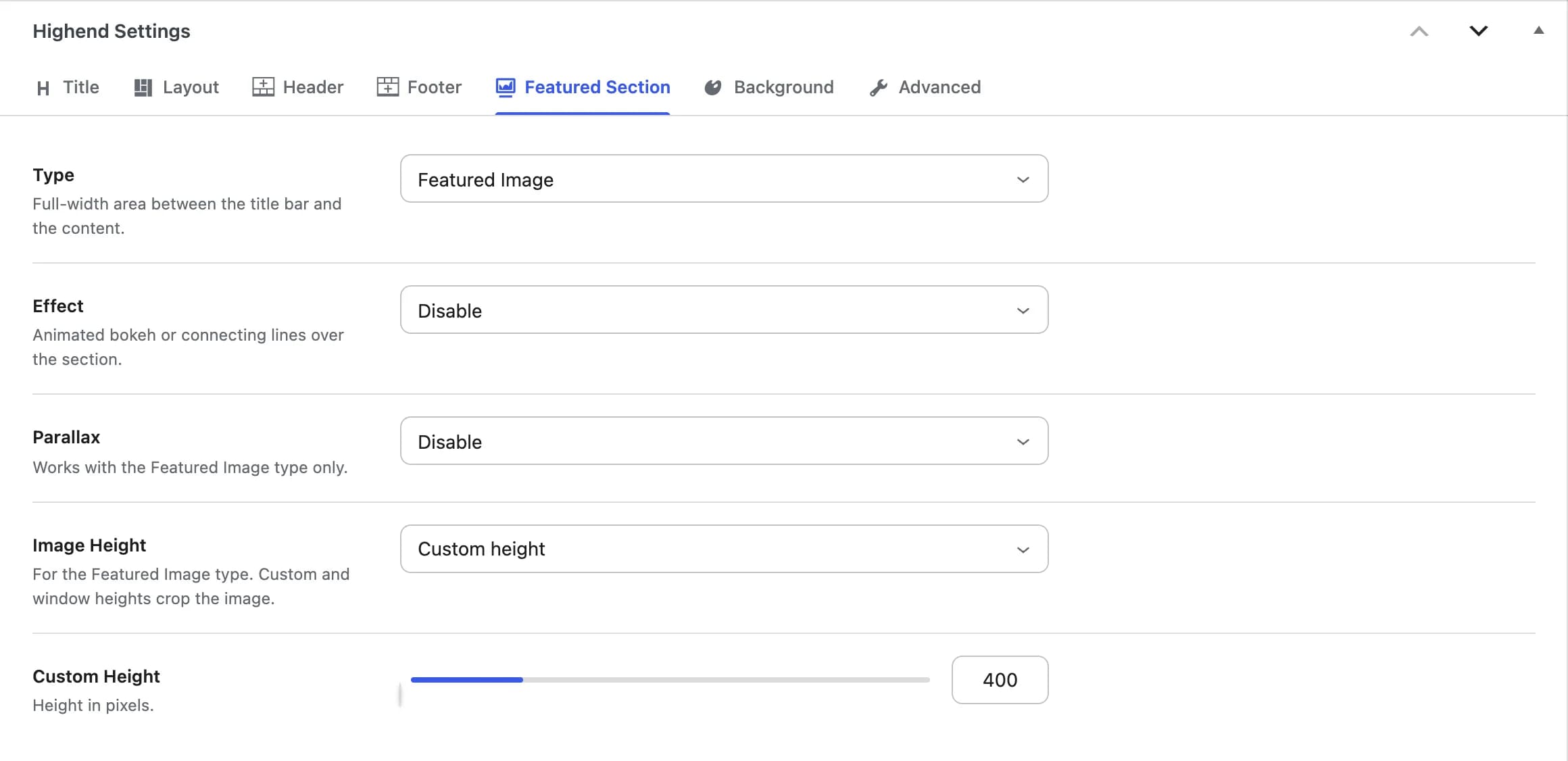 Revolution Slider and Layer Slider join the Type options once you've built a slider in that plugin.
Put a slider inside a row
Both plugins add their own WPBakery element once active. Look for Revolution Slider or LayerSlider in the Add Element dialog and drop it into any row, the same as any other element. This is how the prebuilt demos place sliders inside ordinary page content, not just page headers. See WPBakery Page Builder.