Speed up your site
Trim what Highend loads by turning off unused modules, controlling asset loading, and sizing images sensibly.
Highend loads a fairly complete set of front-end libraries by default so every element works out of the box. Most of the wins available at the theme level come from turning off the parts you don't use: the rest is standard WordPress practice (caching, a CDN, and reasonably sized images).
Turn off unused modules
HighendHighend OptionsHighend Modules lets you disable custom post types and features you don't use. The individual toggles only take effect once you turn on Enable/Disable Highend Modules at the top. Until you do, everything behaves as if enabled.
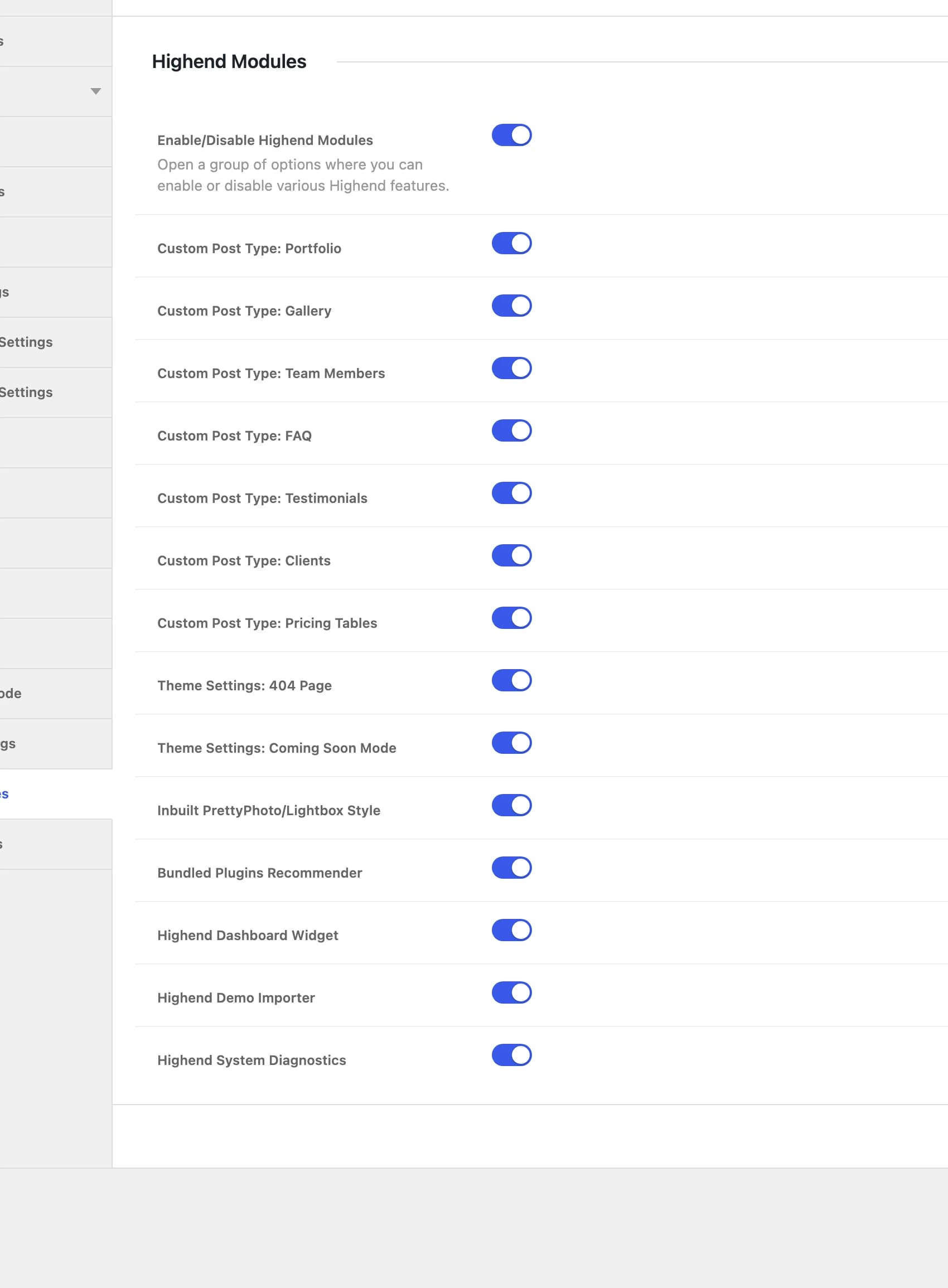
Offhb_control_modulesMaster switch. Turn this on before the toggles below have any effect.
Onhb_module_portfolioOnhb_module_galleryOnhb_module_team_membersOnhb_module_faqOnhb_module_testimonialsOnhb_module_clientsOnhb_module_pricing_tablesOnhb_module_not_found_pageOnhb_module_coming_soon_modeOnhb_module_prettyphotoTurning this off stops the PrettyPhoto lightbox script from loading at all.
Disabling a custom post type you don't use (Portfolio, Gallery, Team Members, and so on) removes it from the admin menu and stops it being registered, useful for keeping the admin lean, though the effect on front-end page weight is limited to pages that would otherwise use it.
Control what loads on the front end
A few settings and conditions directly affect which scripts and stylesheets load:
- Responsive Design (Highend OptionsGeneral Settings, id
hb_responsive): turning this off stopsresponsive.cssfrom loading. Only do this if you're certain you don't need responsive behavior. - Inbuilt PrettyPhoto/Lightbox Style (above): stops the lightbox script from loading if nothing on your site uses it.
- The Scrolling Presentation page template only loads its fullPage.js script on pages using that template, not site-wide.
- The featured section's canvas effects (Bokeh, Connecting Lines) only load their script when a page actually uses that effect.
- The Blog Images Carousel element has its own Lazy Load? option, which defers loading images in that specific carousel until needed.
- Map code only loads on pages that show a map, only for the map provider you picked, and only once the map is about to scroll into view. The header map loads when it's first opened.
Most of Highend's other front-end libraries (sliders, carousels, form validation) are enqueued site-wide whenever the site isn't in maintenance mode, regardless of whether a given page uses them.
Keep image sizes reasonable
Highend doesn't register a large set of fixed WordPress image sizes. Instead, it resizes and crops images on the fly the first time they're needed, then caches the result as a file in your uploads folder, so you won't find a long list of registered sizes to "regenerate" after a theme update. What still matters is the size of the images you upload: the theme resizes down, not up, so upload originals close to the largest size they'll actually be displayed at rather than relying on the browser to shrink an oversized image.
Use caching and a CDN
Beyond the theme, a page caching plugin (such as WP Super Cache or W3 Total Cache) and a CDN for static assets are the most effective general-purpose speed improvements for any WordPress site, Highend included. If your caching plugin has an option to purge its cache automatically, enable it. See Troubleshooting for how Highend's own dynamic CSS regenerates.