Page defaults
The sidebar, page title, and archive/search templates that new pages and posts inherit unless you override them.
Default Settings is the last sub-tab under Layout Settings. It sets the sidebar, page title, and template defaults applied to every page, post, archive, and search results page, until you override them individually.
Where to find it: Go to HighendHighend OptionsLayout SettingsDefault Settings.
Every setting here can be overridden per page or post, using the matching fields in that page's Highend Settings box. Leave a field on its Use Highend Options Settings choice to inherit what you set here.
Sidebar Layout
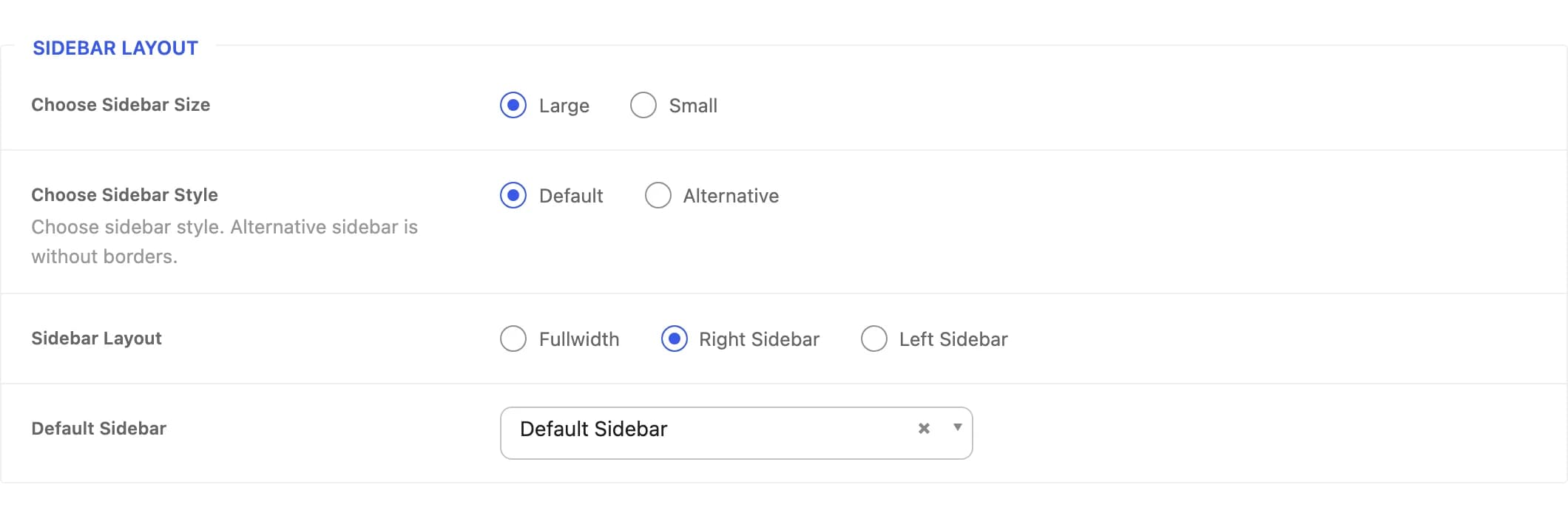
Largehb_sidebar_sizeWidth of the sidebar column relative to the content column.
Defaulthb_sidebar_styleAlternative removes the borders around sidebar widgets.
Right Sidebarhb_page_layout_sidebarWhether pages show a sidebar, and on which side. Overridden per page by Sidebar Layout in the Layout tab of that page's Highend Settings box.
Default Sidebarhb_choose_sidebarWhich widget area fills the sidebar. Lists every custom sidebar you've created, alongside the built-in Default Sidebar.
Page Title
The banner shown above a page or post's content, with its own background, style, and entrance animations.
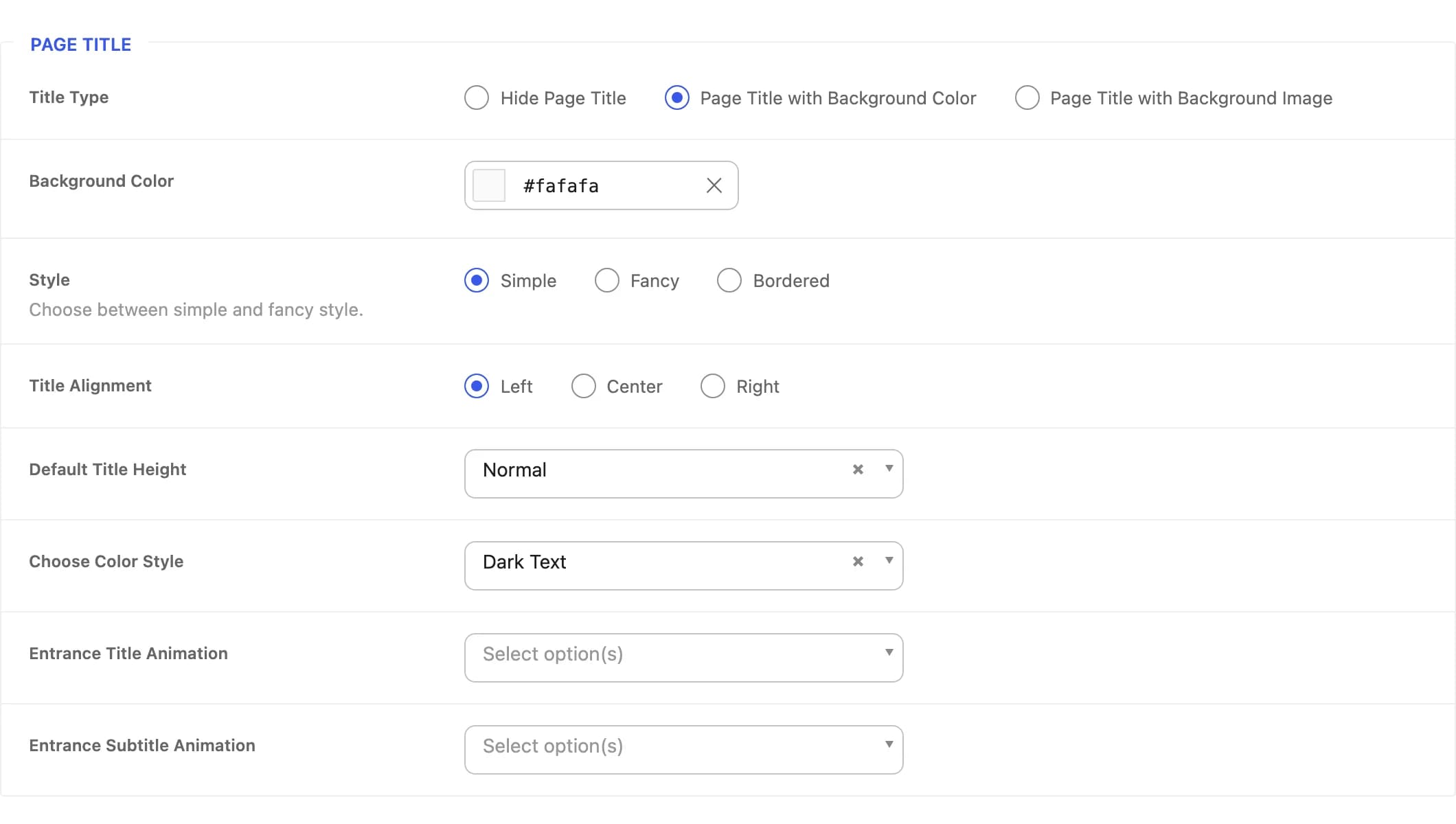
Page Title with Background Colorhb_page_title_typeHide the page title entirely, or show it with a flat background color or a background image.
#fafafahb_page_title_background_colorShown when Title Type is set to background color.
hb_page_title_background_imageThe default page title background image, shown when Title Type is set to background image. Individual pages can upload their own image instead.
Onhb_page_title_background_image_parallaxAdds a parallax scroll effect to the background image.
Simplehb_page_title_styleFancy adds a large stroked/outlined heading behind the title; Bordered adds a border around it.
Lefthb_page_title_alignmentHorizontal alignment of the title text.
Normalhb_page_title_heightVertical padding of the title banner.
Dark Texthb_page_title_colorText color, for use against light or dark backgrounds.
Nonehb_page_title_animationAnimates the title in on page load. Options: None, Bounce Up, Bottom To Top, Top To Bottom, Left To Right, Right To Left, Scale Up, Fade In.
Nonehb_page_title_subtitle_animationSame animation choices as above, applied to the subtitle.
The Style, Alignment, Height, Color, and animation fields only appear when Title Type isn't set to Hide Page Title.
Default Templates
Which built-in blog layout is used for the main posts page, taxonomy/date archives, and search results, when a page doesn't set its own template.
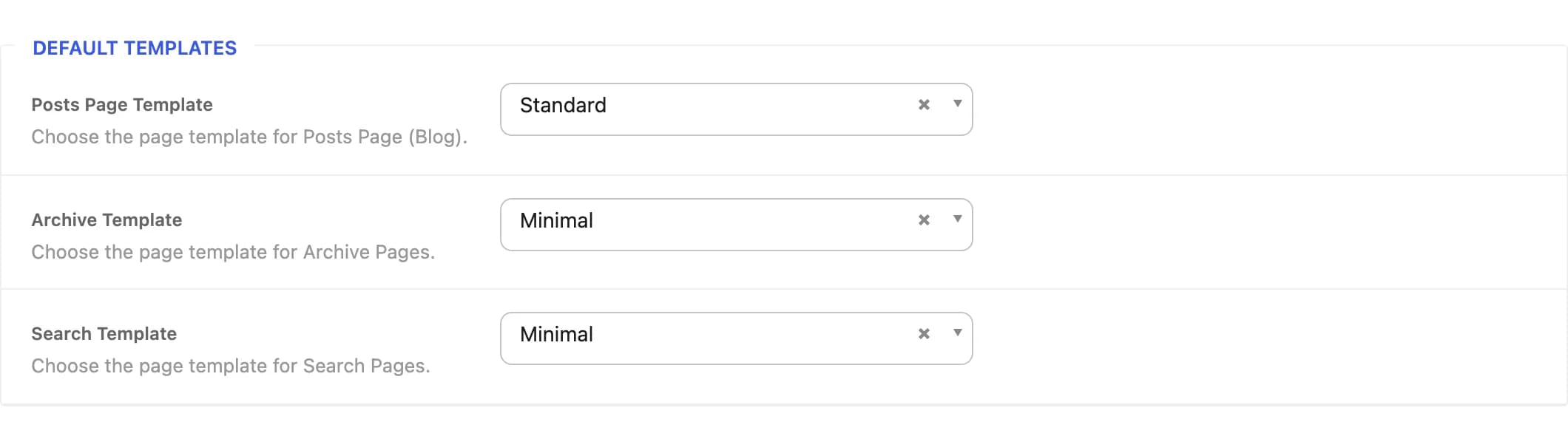
Standardhb_posts_page_templateLayout for the blog posts page. Choices: Standard, Small, Minimal, Grid, Grid Fullwidth.
3hb_posts_page_grid_columnsColumn count, from 1 to 4. Shown only for the two grid templates.
Minimalhb_archive_templateLayout for category, tag, author, and date archives. Same five choices as above.
3hb_archive_grid_columnsColumn count, from 1 to 4. Shown only for the two grid templates.
Minimalhb_search_templateLayout for search results. Same five choices as above.
3hb_search_grid_columnsColumn count, from 1 to 4. Shown only for the two grid templates.