Set up a homepage
Choose a static front page, build it with WPBakery, and add a featured header section or slider.
A Highend homepage is a regular WordPress page: you build it with WPBakery Page Builder like any other page, then tell WordPress to use it as your front page. There's no dedicated "homepage" template: the only homepage-specific piece is the optional featured section that can replace the header on that page.
Set a static front page
Create the page
Go to PagesAdd Page and build your layout with WPBakery. Give it a clear title, such as "Home".
Set it as your front page
Go to SettingsReading, choose A static page, and pick your new page under Homepage.
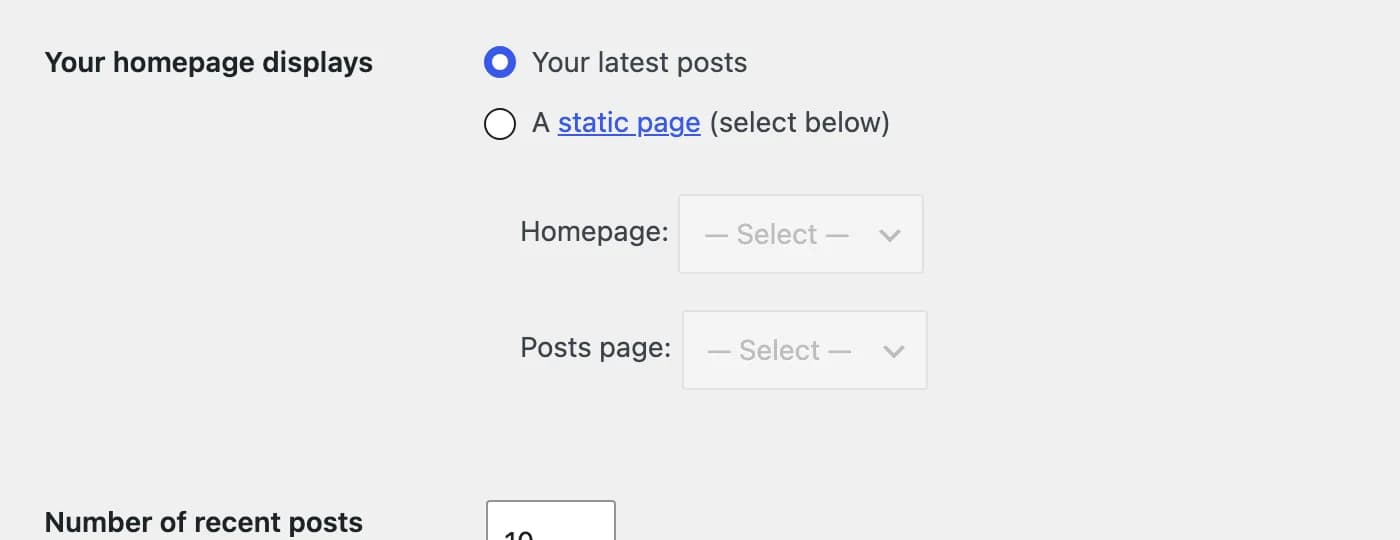 Choose a static page and select it under Homepage.
If you leave Your homepage displays set to Your latest posts, WordPress shows your blog at the site root instead.
Build the layout
Highend's homepage content is built entirely with WPBakery Page Builder and Highend's own elements. There's no separate homepage builder. See WPBakery Page Builder for how to add rows, columns, and elements, and browse the element library for what's available (sliders, galleries, portfolio and team grids, pricing tables, and more).
Add a featured header section
Pages and team member profiles have a Featured Section tab in the editor. It adds a full-width featured image, video, or slider between the title bar and your page content.
Where to find it: open the page in the editor, scroll below the content to the Highend Settings box, and open its Featured Section tab.
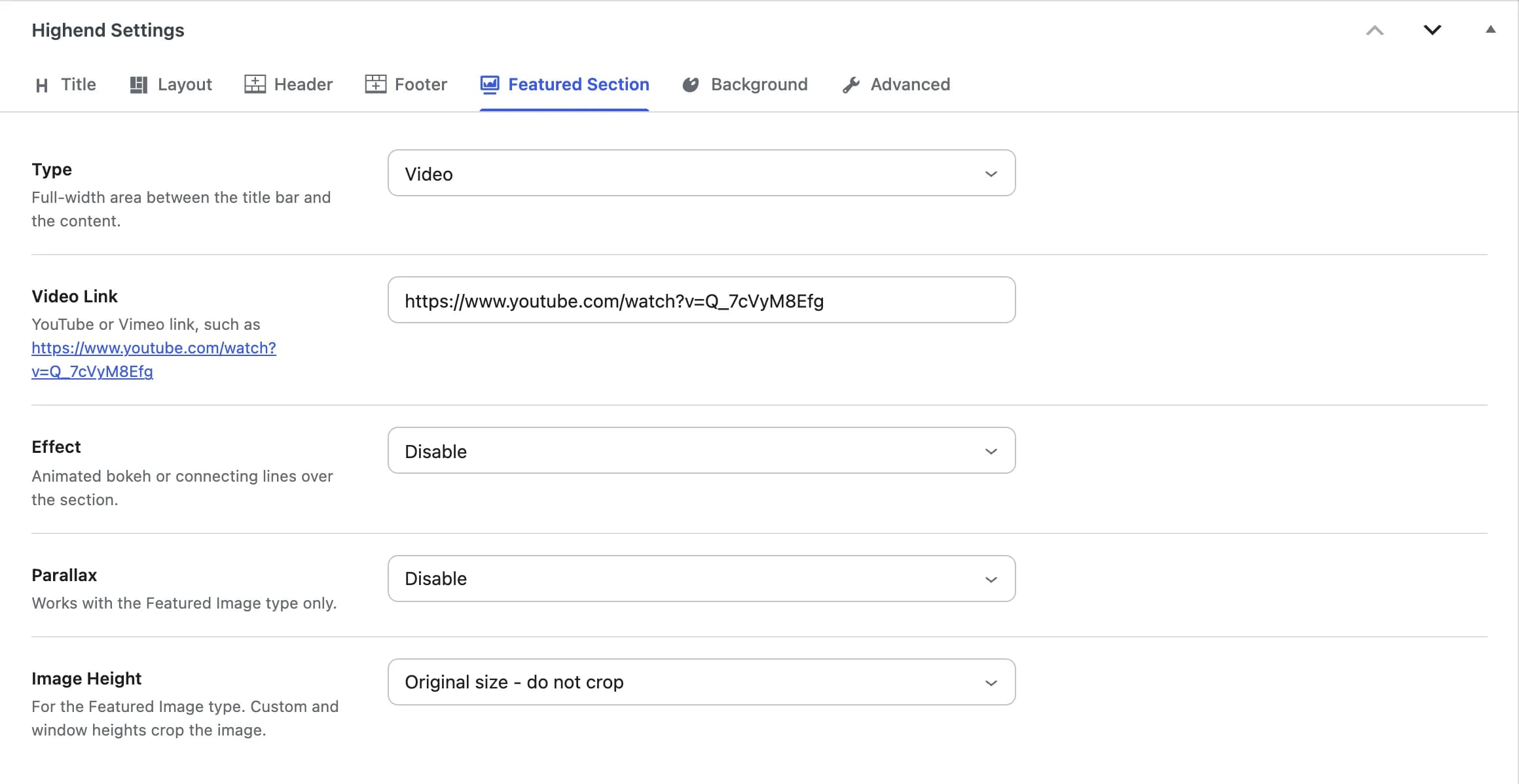
Hidehb_featured_section_optionsChoose what displays in the featured section: Hide, Featured Image, Video, or (if you have Revolution Slider or LayerSlider sliders on the site) Revolution Slider or Layer Slider.
hb_rev_sliderPick which Revolution Slider to show. Only appears when Type is set to Revolution Slider.
hb_layer_sliderPick which LayerSlider to show. Only appears when Type is set to Layer Slider.
hb_page_videoA YouTube or Vimeo URL, e.g. https://www.youtube.com/watch?v=Q_7cVyM8Efg. Only appears when Type is set to Video.
Disablehb_featured_section_effectAn animated canvas overlay on top of the featured section: Disable, Bokeh Effect, or Connecting Lines Effect.
Disablehb_featured_section_parallaxAdds a parallax scroll effect. Only works for a featured image, not a slider or video.
Original size - do not crophb_featured_section_heightFor the Featured Image type: Original size - do not crop, Custom height (set a pixel value below), or Window height (fills the browser viewport). Custom and window heights crop the image.
400hb_featured_image_heightThe height in pixels, from 70 to 1600. Only appears when Image Height is set to Custom height.
Start from a demo homepage
The fastest way to get a finished homepage is to import one of Highend's prebuilt demos: each one comes with its own homepage already assembled and set as the front page. See Import a demo, then replace the content with your own.