Contact Settings
Set where contact form emails are sent, and configure the Quick Contact Box slide-out form.
Where to find it: Go to HighendHighend OptionsContact Settings.
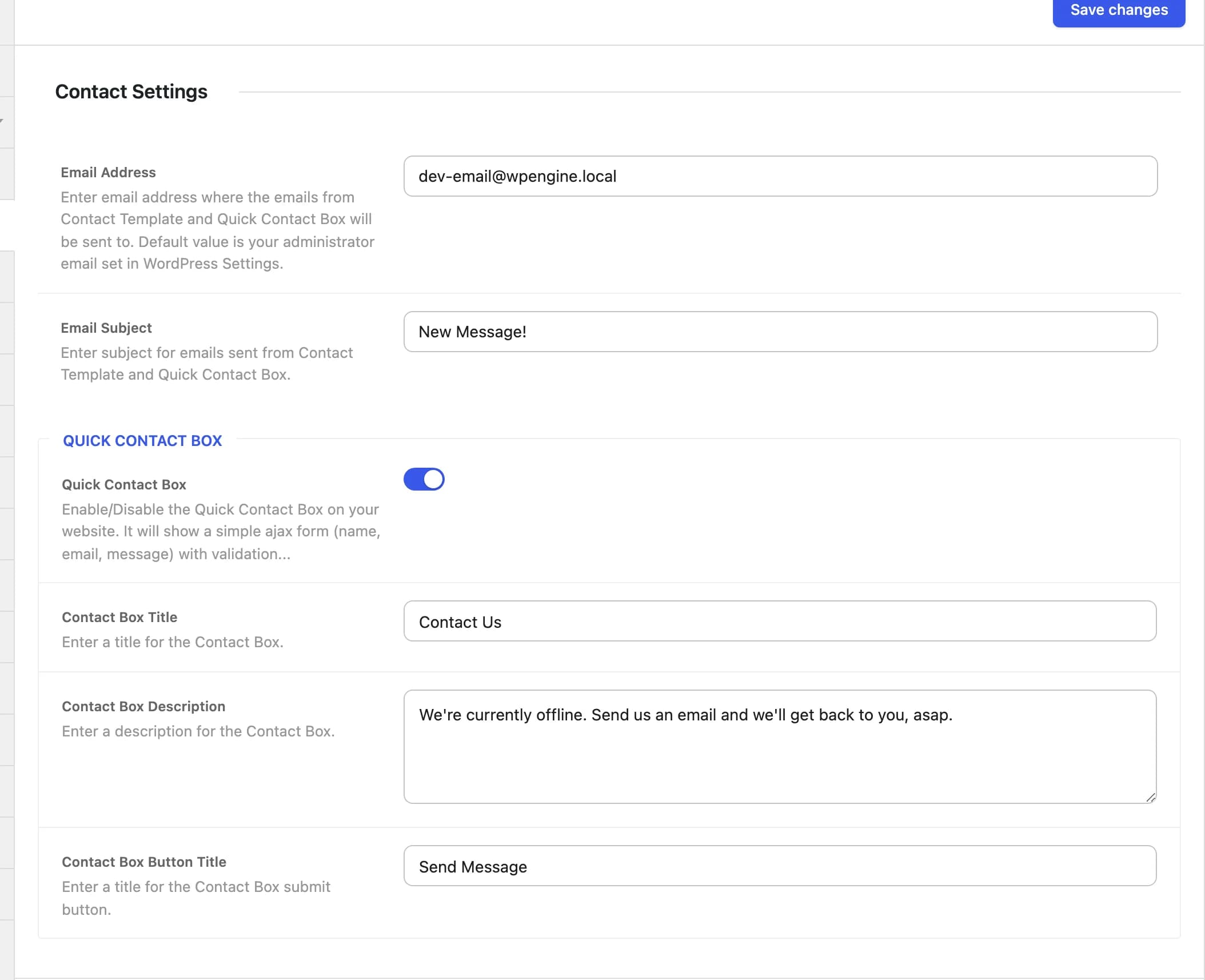
Email delivery
Your WordPress admin emailhb_contact_settings_emailWhere emails from the Contact page template and the Quick Contact Box are sent.
New Message!hb_contact_settings_email_subjectSubject line used for both the Contact page template and the Quick Contact Box.
Both the Contact page template and the Quick Contact Box submit to the same handler, which sends the message with wp_mail() using the From header set to the visitor's name and email. If messages aren't arriving, check your site's outgoing mail delivery (the usual cause with wp_mail() on most hosts) before assuming the form is broken.
Quick Contact Box
A small slide-out panel with a name/email/message form, available site-wide from a tab fixed to the edge of the screen. It submits over Ajax with client-side validation on the required fields.
Onhb_enable_quick_contact_boxShows or hides the Quick Contact Box across the site.
Contact Ushb_quick_contact_box_titleHeading shown at the top of the box.
We're currently offline. Send us an email and we'll get back to you, asap.hb_quick_contact_box_textText shown below the title.
Send Messagehb_quick_contact_box_button_titleLabel of the submit button.