Customizer
The Colors panel Highend adds to the WordPress Customizer, and how it differs from Highend Options.
Most of Highend's settings live in Highend Options, not the Customizer. The Customizer only holds the site's colors, so you get WordPress's native live preview while picking them.
Where to find it: Go to AppearanceCustomize.
Highend Options vs. the Customizer
Highend keeps almost everything (layout, header and footer behavior, typography, content defaults, integrations, and every setting on the other pages in this section) in Highend Options, its own full-page admin screen. The Customizer only gets the settings that benefit from side-by-side live preview against the actual page: colors. Everything you pick under AppearanceCustomizeColors updates the preview instantly, without a page reload, using the Customizer's built-in postMessage live preview.
Colors panel
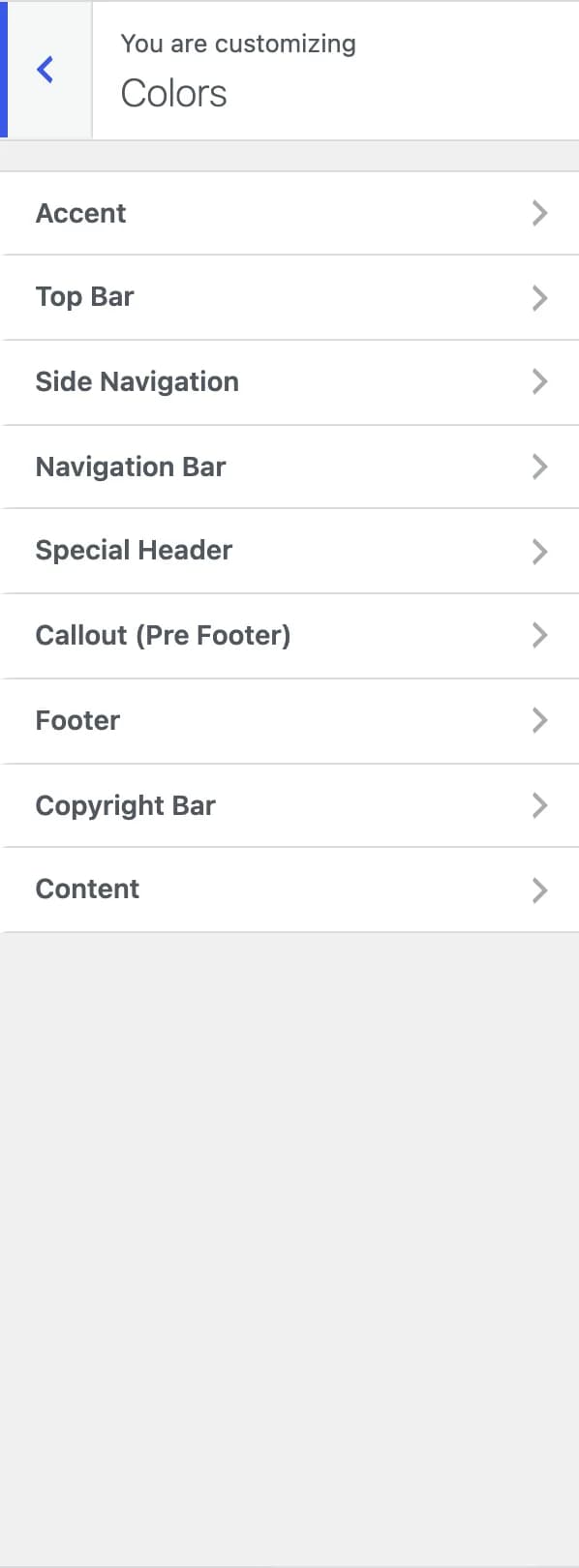
Highend adds one panel, Colors, with nine sections. Every setting in it is a standard WordPress color control, stored as a theme_mod, a WordPress-native, per-theme setting. That's a different storage mechanism from Highend Options, which saves all of its settings together in a single hb_highend_option entry.
Accent
#1dc6dfhb_focus_color_settingThe sitewide accent color. See Colors for how the Color Manager tab in Highend Options relates to this field.
Top Bar
The thin bar above the main header, when enabled in Header Settings.
#ffffffhb_top_bar_bg_setting#e1e1e1hb_top_bar_border_setting#777777hb_top_bar_text_color_setting#444hb_top_bar_link_color_settingSide Navigation
#ffffffhb_side_nav_bg_settingBackground of the offset side panel navigation, when that header style is in use.
Navigation Bar
The main header row that holds your logo and menu, in its normal and sticky (scrolled) states.
#ffffffhb_nav_bar_bg_setting#ffffffhb_nav_bar_stuck_bg_setting#444hb_nav_bar_text_setting#444hb_nav_bar_stuck_text_setting#e1e1e1hb_nav_bar_border_setting#e1e1e1hb_nav_bar_stuck_border_settingSpecial Header
Colors for the special/transparent header style, in its normal and sticky states.
#FFFhb_spec_head_color_setting#000hb_spec_head_bg_stuck_setting#FFFhb_spec_head_color_sticky_settingCallout (Pre Footer)
The full-width call-to-action bar above the footer. See Footer Settings.
#ececechb_pfooter_bg_setting#323436hb_pfooter_text_settingFooter
#222hb_footer_bg_setting#999hb_footer_text_setting#fffhb_footer_link_settingCopyright Bar
#292929hb_copyright_bg_setting#999hb_copyright_text_setting#fffhb_copyright_link_settingContent
#444444hb_content_bg_settingShows outside the content area when Boxed Layout is on.
#1B1B1Bhb_side_section_bg_settingBackground of the offset side content panel.
#f9f9f9hb_content_c_bg_setting#343434hb_content_text_color_setting#222hb_content_link_color_setting#e1e1e1hb_content_border_settingUsed across boxes, tables, tabs, and other bordered elements in the content area.
#323436hb_content_h1_setting#323436hb_content_h2_setting#323436hb_content_h3_setting#323436hb_content_h4_setting#323436hb_content_h5_setting#323436hb_content_h6_setting