Footer
The pre-footer callout strip, footer widget columns, and the copyright line at the bottom of every page.
Two sub-tabs under Layout Settings control everything below your page content: the Pre-Footer Callout strip, and the Footer Layout itself (widgets and the copyright line).
Where to find it: Go to HighendHighend OptionsLayout Settings and choose Pre-Footer Callout or Footer Layout.
Pre-footer callout
A full-width, site-wide call-to-action strip shown just above the footer.
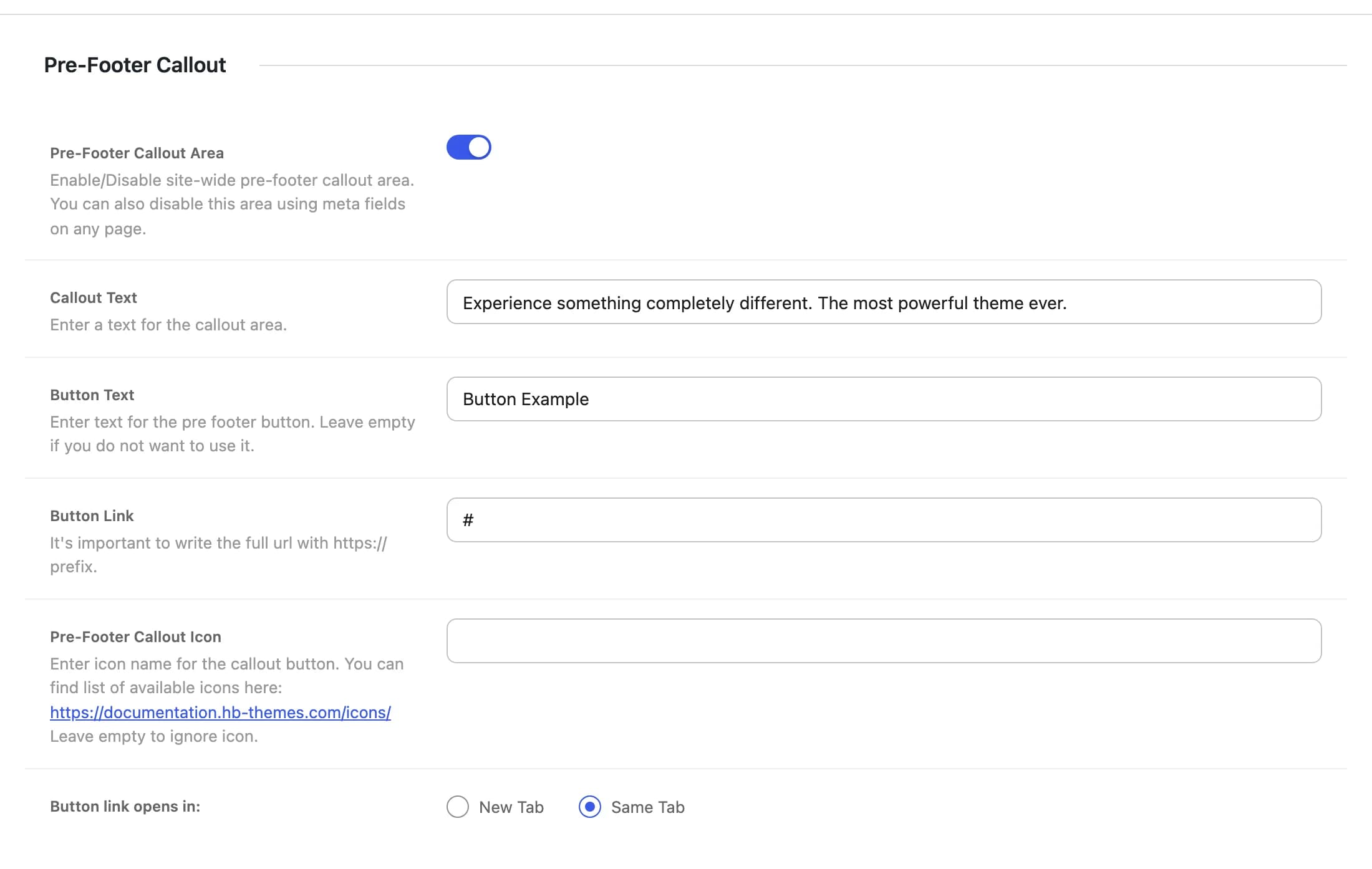
Onhb_enable_pre_footer_areaShows the callout strip site-wide. Can be turned off for an individual page in the Footer tab of its Highend Settings box.
Experience something completely different. The most powerful theme ever.hb_pre_footer_textThe strip's headline text.
Button Examplehb_pre_footer_button_textLabel for the callout button. Leave empty to hide the button.
#hb_pre_footer_button_linkWhere the button links to. Write the full URL, including https://.
hb_pre_footer_button_iconAn icon shown next to the button text. Click Choose icon to pick one, or type an icon name. Leave it empty for no icon. See Icons.
Same Tabhb_pre_footer_button_targetWhether the button link opens in the same tab or a new one.
Footer layout
Footer widgets and copyrighthb_footer_blockUse the footer widgets and copyright bar below, or swap in a Layout Block built with the page builder. Can be changed per page in the page settings. A block footer replaces the footer widgets and copyright bar entirely; the rest of this section's settings only apply to the widget footer.
Onhb_enable_footer_widgetsShows the widget-filled footer area. Can be turned off for an individual page in the Footer tab of its Highend Settings box.
Offhb_enable_footer_separatorsAdds vertical divider lines between footer widget columns, useful if you have several columns of widgets. Appears only when Footer Widgets is on.
Offhb_enable_footer_backgroundAdds a decorative world-map overlay image to the footer background, suited to corporate/agency sites. Appears only when Footer Widgets is on.
hb_footer_bg_imageReplaces the overlay or plain color with your own footer background image.
Footer Widgets Layout
Appears when Footer Widgets is on.
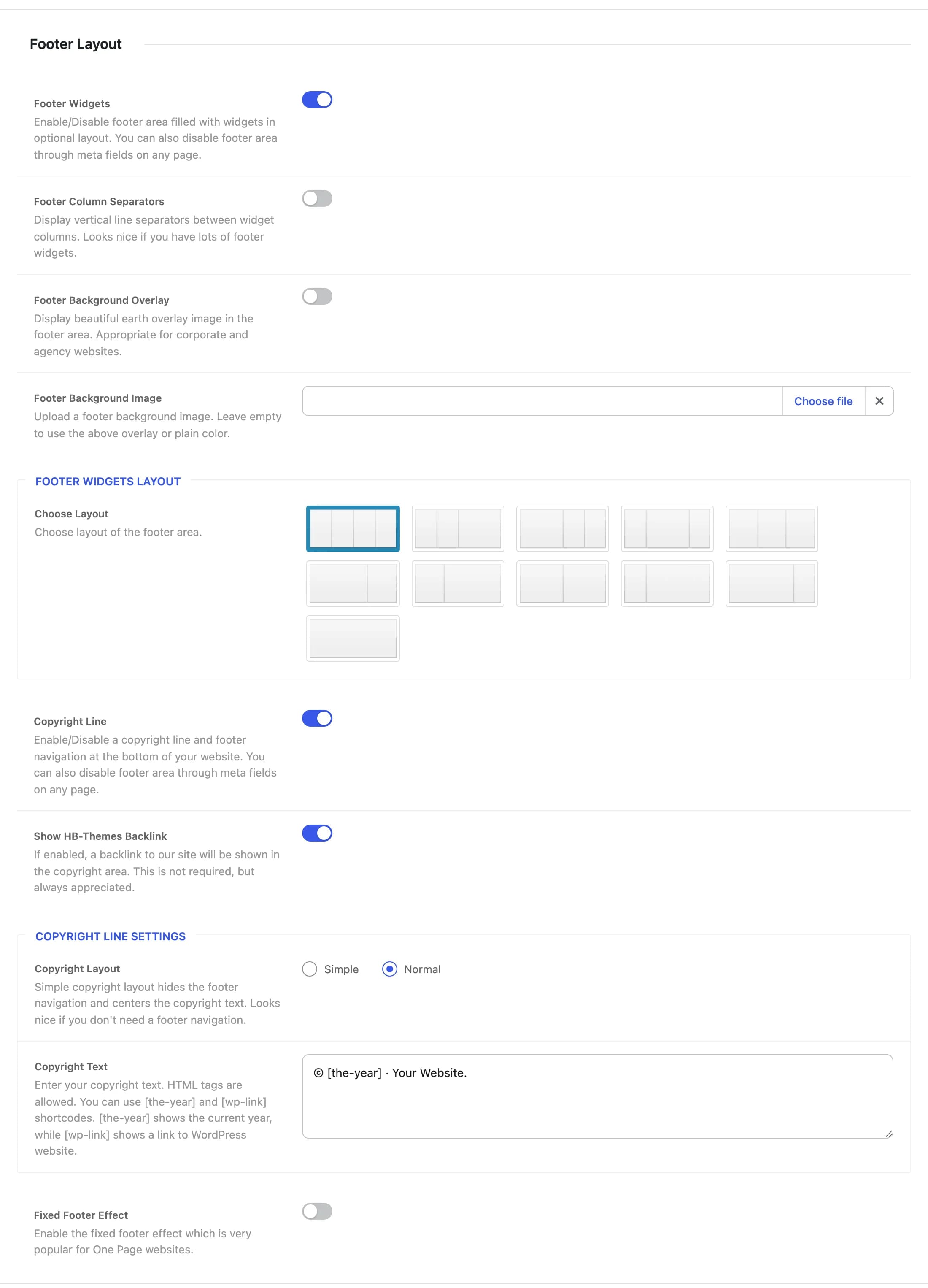
1/4 + 1/4 + 1/4 + 1/4hb_footer_layoutColumn arrangement for the footer widget area: 11 layouts, from four equal columns down to a single full-width column. Assign widgets to each column under AppearanceWidgets (Footer 1–4).
Copyright and backlink
Onhb_enable_footer_copyrightShows the copyright line and footer navigation at the very bottom of the site. There's no per-page switch for it, but a page whose Footer is a Layout Block doesn't show it.
Onhb_enable_backlinkShows a "powered by HB-Themes" backlink in the copyright area.
Copyright Line Settings
Appears when Copyright Line is on.
Normalhb_copyright_styleSimple centers the copyright text and hides the footer navigation. Normal shows both side by side.
© [the-year] · Your Website.hb_copyright_line_textHTML allowed. Use the [the-year] shortcode for the current year and [wp-link] for a link to WordPress.org.
Fixed footer effect
Offhb_fixed_footer_effectPins the footer in place while the page content scrolls over it, revealing the footer as the visitor reaches the bottom. Popular on one-page sites.