Testimonials
Add client quotes with the Testimonials post type and display them with the Testimonial Box and Testimonial Slider elements.
Testimonials is a custom post type for client quotes and reviews: each item is one quote, with an author name, company or role, and photo.
Where to find it: Go to TestimonialsAdd New Testimonial.
Testimonials is one of Highend's optional modules. If you don't see it in the admin menu, enable it under HighendHighend OptionsHighend Modules. See Modules.
Add a testimonial
Go to TestimonialsAdd New Testimonial. Give it a title (for your reference in the admin list only; it isn't shown on the front end) and write the quote itself in the content editor.
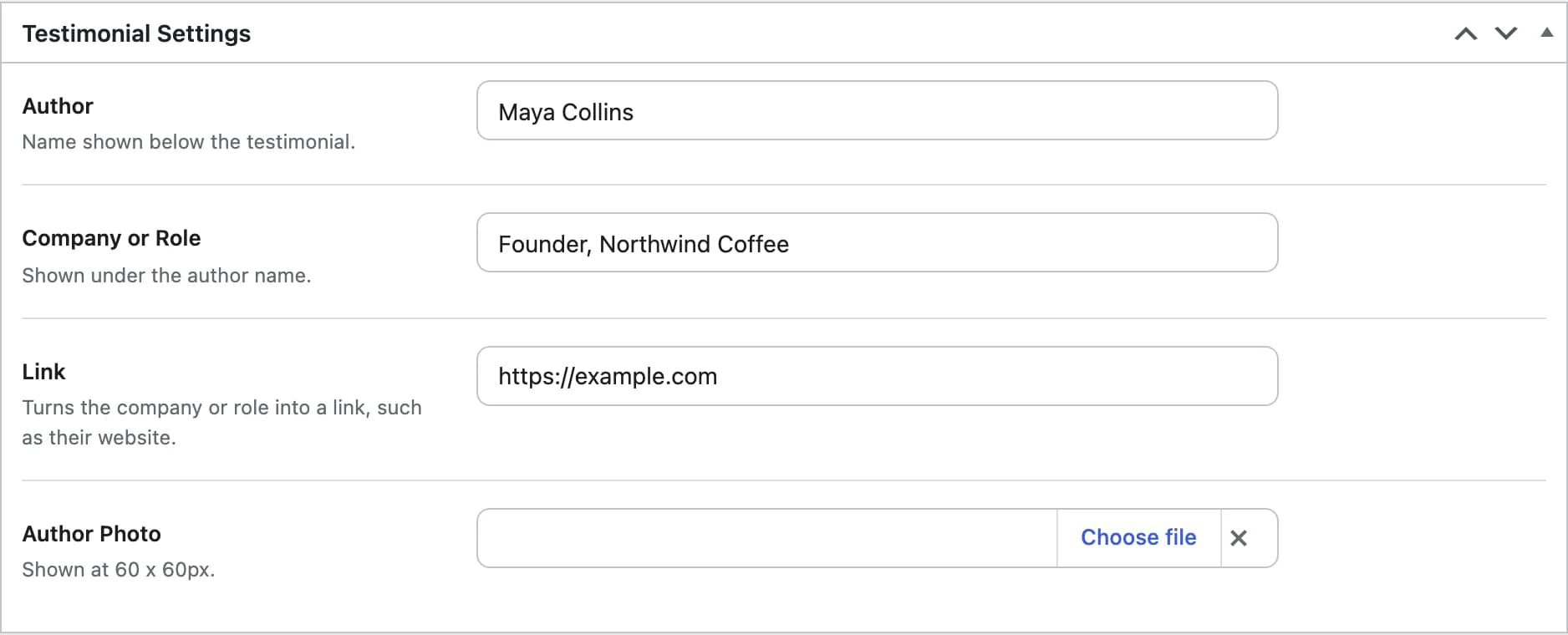
hb_testimonial_authorThe person the quote is from, shown below the testimonial.
hb_testimonial_descriptionA short line shown under the author name, such as their company or position.
hb_testimonial_description_linkTurns the company or role into a link, for example to the author's website.
hb_testimonial_author_imageThe author's photo, shown at 60×60px.
Organize testimonials into categories
Use the Testimonial Categories panel in the sidebar to file the item under one or more categories, so a given Testimonial Slider or Testimonial Box can show only a subset of quotes.
Single testimonial pages
Unlike Clients and Pricing Tables, testimonials have working single pages: the quote, author photo, name, and company or role, followed by (depending on Theme Options > Blog) comments, sharing, and a like button.
Elements that display testimonials
Testimonial Box
A single testimonial displayed as a static box.
Testimonial Slider
A slider that cycles through testimonials, optionally filtered by category.
The [HB-Themes] Testimonials Widget in Widgets shows the same slider in any sidebar.