Social Links
Add your social profile URLs, choose which ones display, and configure share buttons.
Where to find it: Go to HighendHighend OptionsSocial Links.
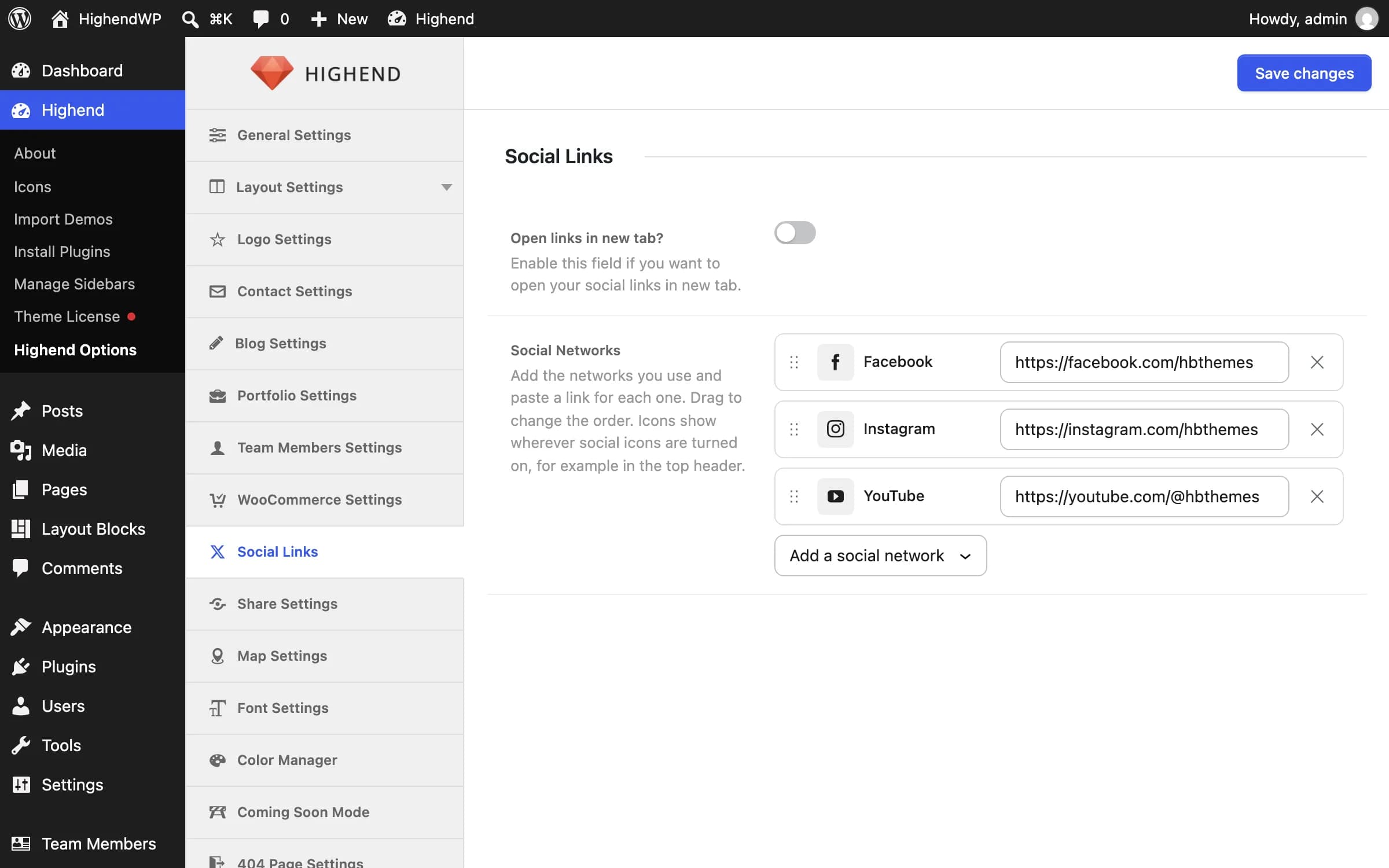
Your social networks
Offhb_soc_links_new_tabOpens social links in a new browser tab instead of the same tab.
Facebookhb_top_header_socialsThe networks that show wherever Highend renders its social icon list: the header top bar widget, the side navigation, the footer, and the coming soon page. Each row is one network with its link.
- Add a network: pick it from Add a social network, then paste your profile link into the new row. The list shows each network's icon, and you can type to search it. A row without a link is marked, because its icon would not go anywhere.
- Change the order: drag a row by its handle, or click the handle and use the up and down arrow keys.
- Remove a network: click the × at the end of its row. Its link is kept, so adding the network again brings it back.
For Email, enter an email address. It becomes a mailto: link.
Networks that have shut down (Delicious, StumbleUpon, Forrst and Skype) are no longer offered. If your site already shows one, it stays and is marked Discontinued so you can remove it. Google+ was removed in 4.5.7.
The list only sets which networks show. The top bar shows them when Right Widget: Social Icons is on in Header » Top Header Settings.
Developers: the order is saved in hb_top_header_socials and each link in hb_<network>_link (for example hb_facebook_link), as in earlier versions.
Share Settings
Which networks appear in the share box shown on blog posts, portfolio items, and WooCommerce products.
Where to find it: Go to HighendHighend OptionsShare Settings.
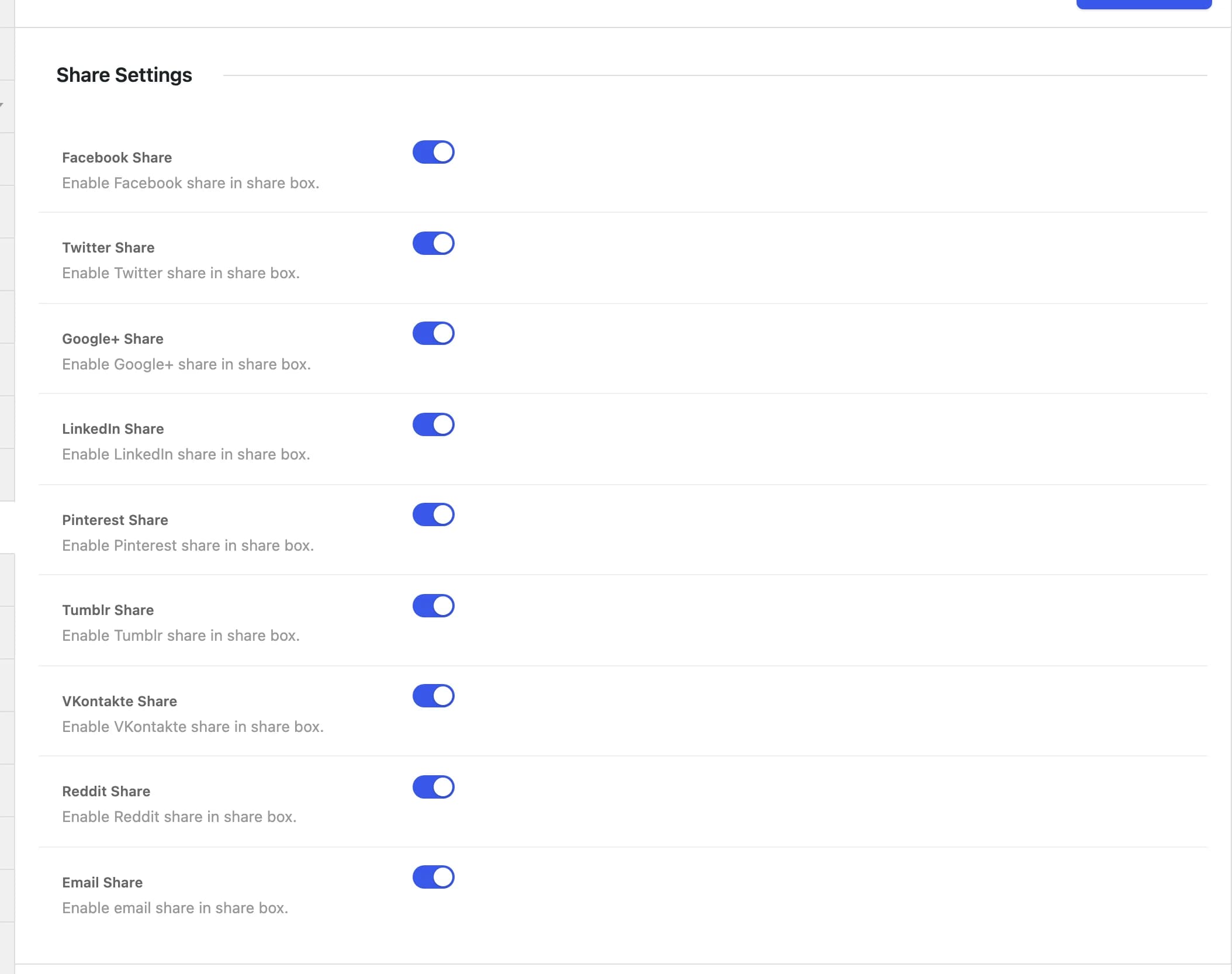
Onhb_share_facebookEnable Facebook in the share box.
Onhb_share_twitterEnable Twitter/X in the share box.
Onhb_share_gplusEnable Google+ in the share box. Google+ shut down in 2019. This toggle is legacy and its button links nowhere useful.
Onhb_share_linkedinEnable LinkedIn in the share box.
Onhb_share_pinterestEnable Pinterest in the share box.
Onhb_share_tumblrEnable Tumblr in the share box.
Onhb_share_vkontakteEnable VKontakte in the share box.
Onhb_share_redditEnable Reddit in the share box.
Onhb_share_emailEnable emailing the page in the share box.
If the Social Snap plugin is active, these toggles are replaced by a single notice pointing you to Social Snap's own settings. Highend hands off sharing to Social Snap entirely rather than running both at once.