bbPress
Highend ships full template overrides and styling for bbPress forums, plus a few forum-specific tweaks.
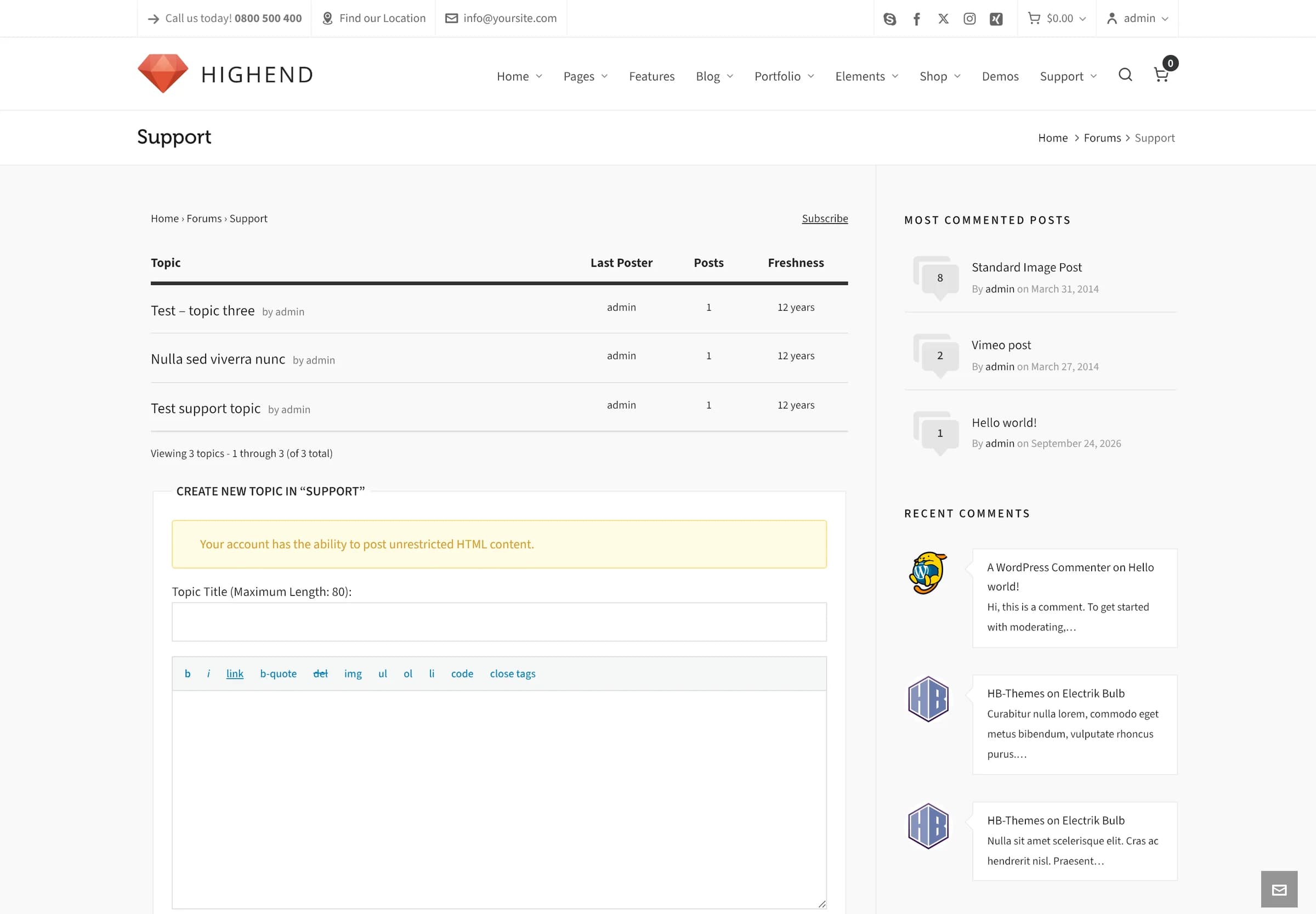
Highend fully styles bbPress: forums, topics, replies, and user profile screens all match the rest of the site, with no setup needed beyond installing and activating bbPress itself.
Where to find it: install bbPress from PluginsAdd New (it's not one of Highend's bundled plugins), then create your forums under Forums.
Template overrides
Highend ships a full set of bbPress templates in a bbpress/ folder at the theme root: archive and single views for forums and topics, all the reply, form, loop, and pagination partials, and the user profile screens (favorites, subscriptions, topics created, login, lost password). bbPress automatically uses these instead of its own default templates whenever the theme is active.
bbpress/bbpress-functions.php mirrors bbPress's own default theme-compatibility layer (the same class bbPress falls back to on any theme without bbPress support). It wraps forum content in the right container markup and enqueues bbPress's scripts and Highend's own assets/css/bbpress.css stylesheet.
Forum-specific behavior
A few smaller customizations round out the integration, most of them also in bbpress-functions.php:
- Relative dates ("2 days ago") use Highend's own formatting instead of bbPress's default.
- Role names are relabeled for display: bbPress's Key Master role shows as Admin, and Participant shows as Member.
- The "this post was modified" revision line bbPress normally appends to edited topics and replies is removed.
- Breadcrumbs and the forum archive's page title ("Forums") are wired into Highend's own breadcrumb and title system elsewhere in the theme, instead of bbPress's defaults.
The same file also prints a status badge ("Not Resolved," "Resolved," "In Progress," or "Sticky") before each topic title, and a matching aq_display_topic_status() helper. Both read a _bbps_topic_status post meta value that bbPress itself doesn't set. It's wired up for a topic-status add-on or manual meta, not something Highend populates on its own. If you don't set that meta, the badge silently defaults to "Not Resolved."