WooCommerce Settings
Set the default shop, category, and single product layout for WooCommerce stores.
This tab covers Highend's own layout and behavior settings for WooCommerce. For installing WooCommerce and setting up the store itself, see WooCommerce integration.
Where to find it: Go to HighendHighend OptionsWooCommerce Settings.
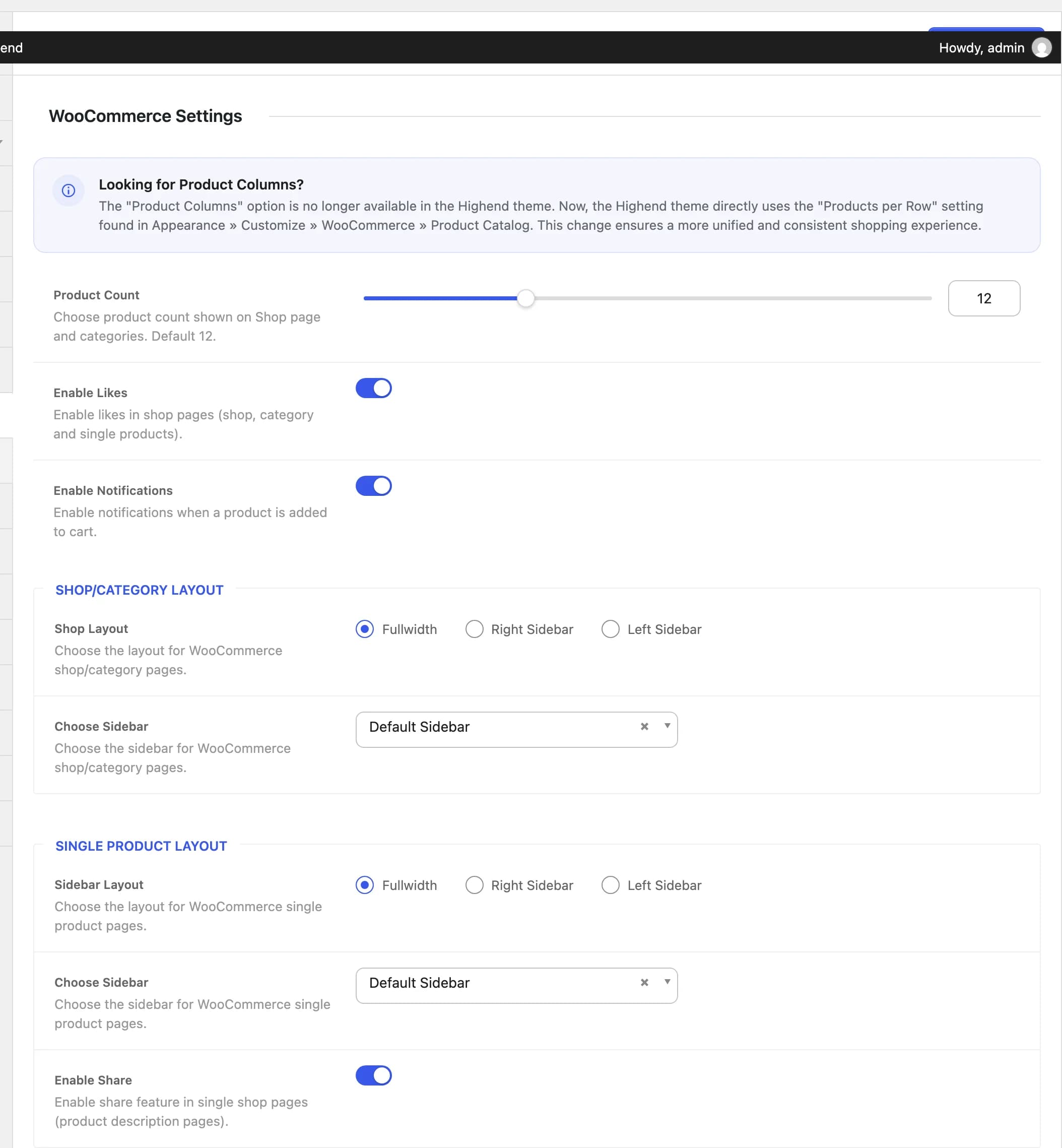
Unlike some other integrations, the WooCommerce Settings tab appears whether or not the WooCommerce plugin is active; it isn't hidden automatically. The settings on it only have a visible effect once WooCommerce is installed and active.
12hb_woo_countNumber of products shown on the shop page and category archives.
Onhb_woo_enable_likesLets visitors like products on shop, category, and single product pages.
Onhb_woo_notificationsShows a notification when a product is added to the cart.
Highend no longer has its own "product columns" setting. The number of products per row now comes directly from WooCommerce's own Products per Row setting, in AppearanceCustomizeWooCommerceProduct Catalog.
Shop/Category Layout
Fullwidthhb_woo_layout_sidebarSidebar layout for the shop page and product category archives: Fullwidth, Right Sidebar, or Left Sidebar.
Default Sidebarhb_woo_choose_sidebarWhich sidebar to show, when Shop Layout isn't Fullwidth. See Sidebars.
Single Product Layout
Fullwidthhb_woo_sp_layout_sidebarSidebar layout for single product pages: Fullwidth, Right Sidebar, or Left Sidebar.
Default Sidebarhb_woo_sp_choose_sidebarWhich sidebar to show, when Sidebar Layout isn't Fullwidth.
Onhb_woo_enable_shareShows a social share box on single product pages.