Clients
Add client and partner logos with the Clients post type, then display them with the Client Carousel element.
Clients is a custom post type for logging the companies, brands, or partners you've worked with. Each client is a logo and an optional link; Highend doesn't build a "clients" page for you, but the Client Carousel element can pull them all in wherever you place it.
Where to find it: Go to Clients.
Clients is one of Highend's optional modules. If you don't see it in the admin menu, enable it under HighendHighend OptionsHighend Modules. See Modules.
Add a client
Create a new client
Go to ClientsAdd New Client. Give it a title: this is for your reference in the admin list and isn't shown on the front end.
Fill in the Clients Settings box
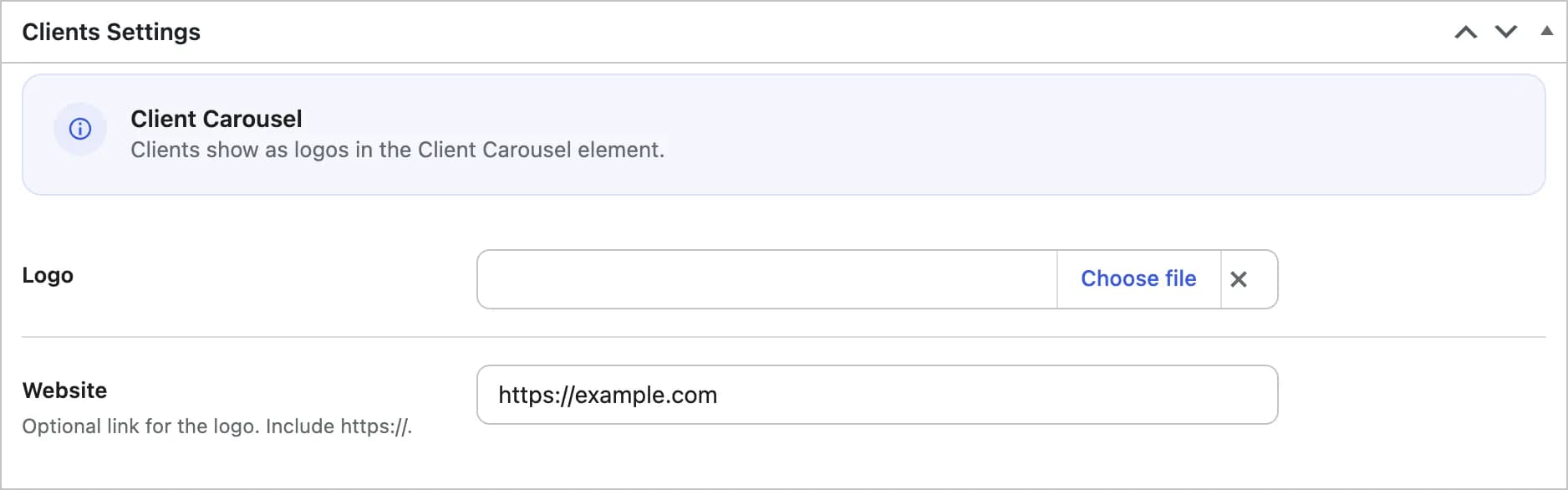
hb_client_logoThe client's logo. Clients don't support a featured image, so this field is where you upload it.
hb_client_urlOptional link for the logo. Include the https:// prefix.
Publish it
Clients don't have a single page of their own: there's nothing to preview. Publish it and it becomes available to any Client Carousel element on your site.
Organize clients into categories
Go to ClientsClient Categories to create categories, then assign them from the client's edit screen. Use categories to show a specific subset of clients in a given Client Carousel element.
Where clients appear
Clients have no public single page or archive: publicly_queryable is off for this post type, so visiting a client directly returns a 404. Display them with: