Team Members Box
One or more team member profiles laid out as static boxes in a grid, in a Normal or Boxed style.
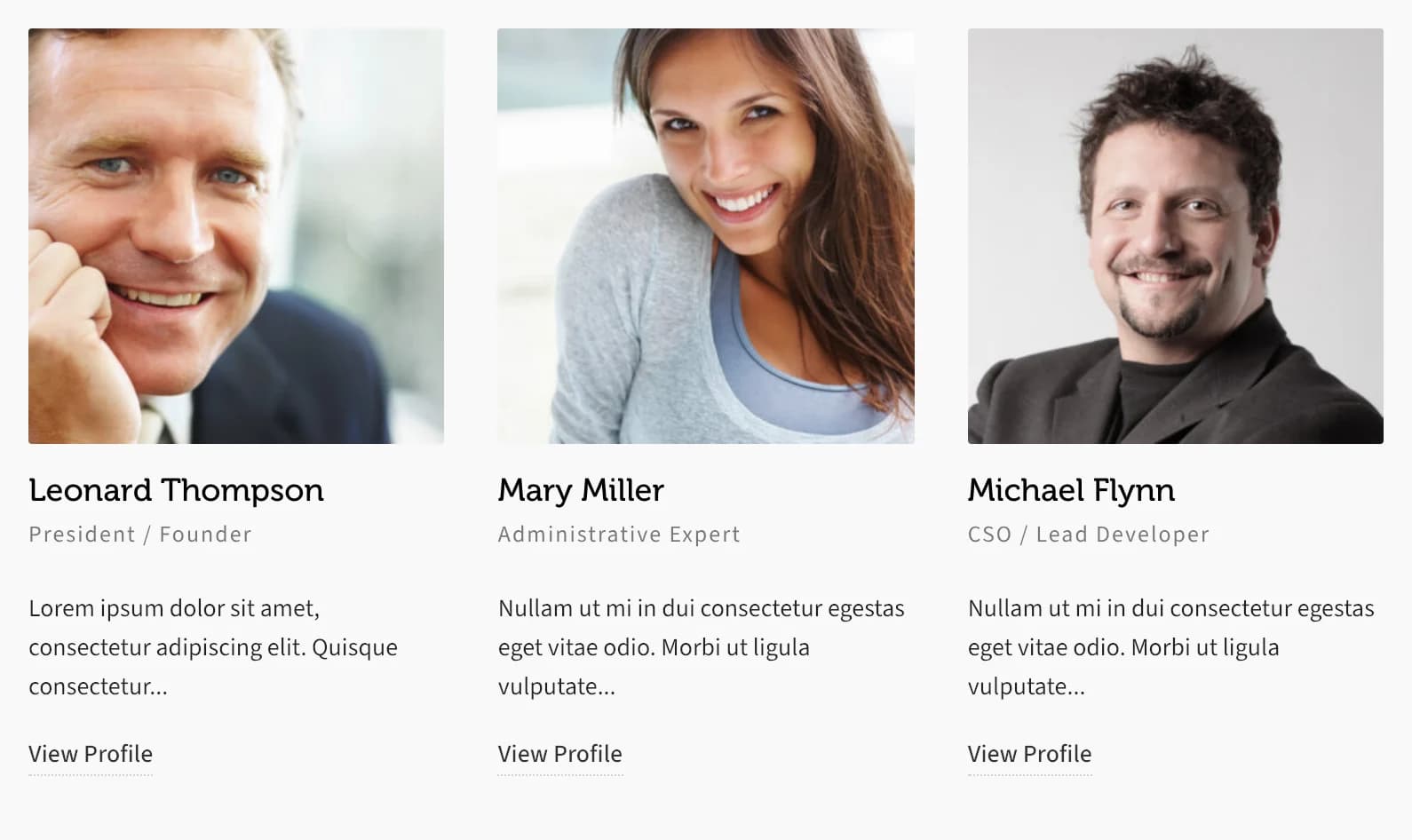
Team Members Box lists team members as static profile cards: a photo, name, position, excerpt, and their social links, arranged in a grid rather than a carousel.
Make sure Custom Post Type: Team Members is on in HighendHighend OptionsHighend Modules (see Modules). When it's off, this element doesn't appear under Add Element.
Add it
In WPBakery, click Add Element and pick Team Members Box from the Highend Shortcodes tab. Or use the shortcode. See Shortcode.
Settings
1columnsHow many boxes per row, from 1 to 4.
NormalstyleNormal or Boxed (adds a card background and border around each member).
countHow many team members to show. Leave empty to show 1. Enter -1 for all members.
categoryLimit members to one or more team categories. Enter category slugs separated by commas. Leave empty for all categories.
excerpt_lengthWords to show from the member's bio when they have no excerpt set. Leave empty to use 20 words.
DateorderbyOptions: Date, Title, Random, Comment Count, Menu Order.
DescendingorderDescending or Ascending.
Each box shows the member's own social links from their profile, not Highend Options > Social Links. See Team members for how to add them.
Shortcode
[team_member_box columns="3" count="3" category="founders" excerpt_length="10" style="boxed"]