Stat
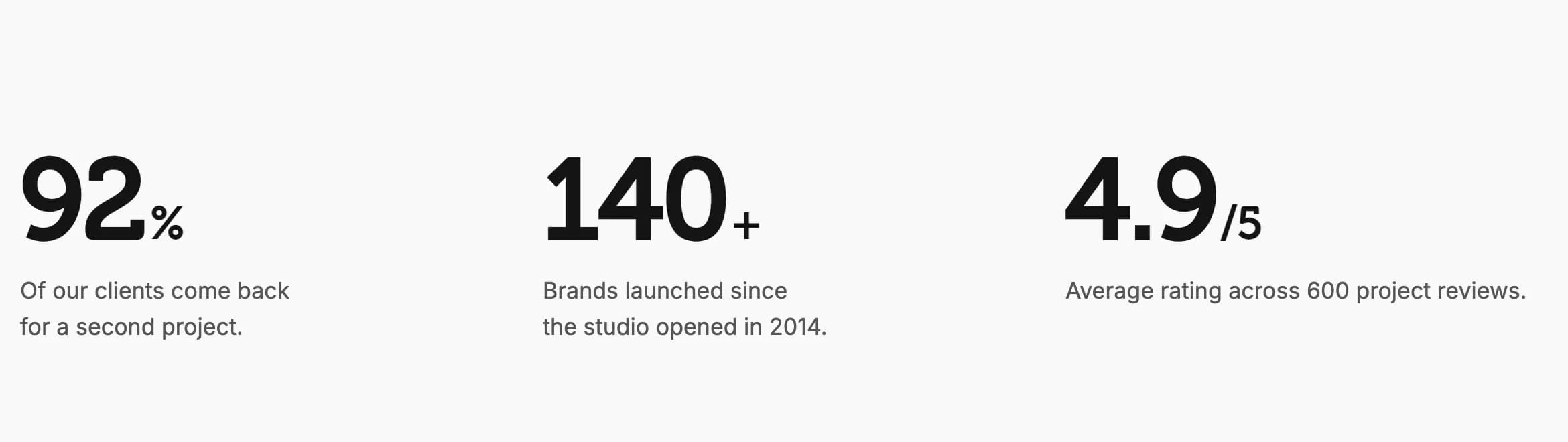
A large number with a smaller suffix, such as 92%, that can count up with a rolling animation when it scrolls into view.
Stat shows a large number with an optional smaller suffix, such as 92%, 10k+, or 4.9x, for a single quick metric rather than a full Milestone Counter.
Add it
In WPBakery, click Add Element and pick Stat from the Highend Shortcodes category. Or use the shortcode. See Shortcode.
Settings
92numberThe number itself.
%suffixShown smaller after the number, for example %, + or x.
Bottomsuffix_alignOptions: Bottom, Middle, Top. Only shown when Suffix isn't empty.
0.08suffix_gapSpace before the suffix, in em (relative to the font size). Only shown when Suffix isn't empty.
62sizeIn pixels.
size_phoneIn pixels. The size scales smoothly from this size on phones to Font Size on desktops. Leave empty to pick it automatically when Fluid Typography is on in Highend Options > Typography.
400weightOptions: 300, 400, 500, 600, 700.
colorLeave empty for the theme's default text color.
LeftalignOptions: Left, Center, Right.
Animation tab
NonecountOptions: None, Roll the digits up when it scrolls into view. Each digit fades in and rolls up to its value, then the suffix slides in. Non-digit characters in Number, such as a decimal point, are shown as-is.
The number is still readable if scripts are off, and screen readers always read the plain number and suffix rather than the rolling digits.
Common settings
Stat also has Entrance Animation, Entrance Delay, and Extra class name fields. See the Elements overview.
Shortcode
[hb_stat number="92" suffix="%" size="72" color="#161514" count="roll"]