One Page Section
A deprecated section shortcode that anchors a one-page website's scrolling navigation, superseded by WPBakery's Row.
One Page Section is a full-width background section like Fullwidth Section, plus a Section ID and Section Title used to build a one-page site's scrolling navigation (menu links and side-circle bullets). It's deprecated; new one-page sites should use a Row with its own One Page Section option instead.

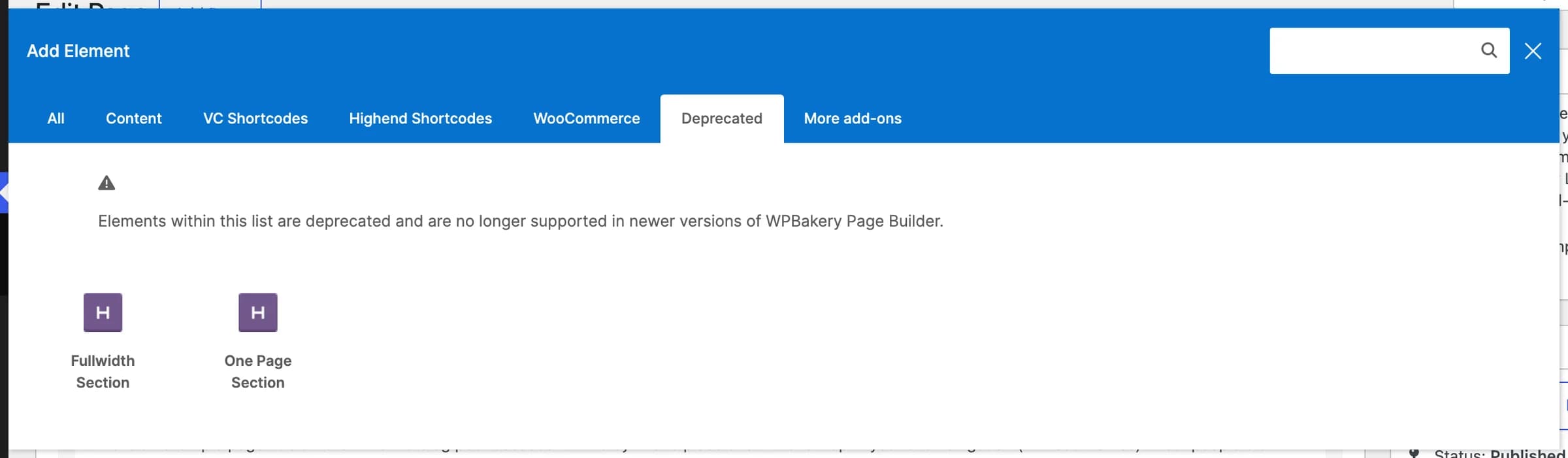
WPBakery hides One Page Section from the main Add Element list; it only appears under the Deprecated tab. For new content, add a Row, fill in its Section ID and Section Title fields (under a One Page Section tab), and turn on One Page in the Header tab of the page's Highend Settings box. See One-page navigation for the full setup, including the menu that links to each section.
How section IDs connect to menu links
Each section's Unique Section ID (for example first-page) becomes that section's HTML id. A one-page navigation menu links to it with a # prefix (#first-page), and clicking the link scrolls smoothly to the section instead of loading a new page. The Section Title is separate: it's the label shown in the small circle-bullet navigation that appears down the side of a one-page layout, not in the menu itself. See One-page navigation for how to build the matching menu and turn on the side navigation.
Add it
To edit an existing One Page Section, open the page in WPBakery and double-click the element. To add a new one, open Add Element, switch to the Deprecated tab, and pick One Page Section, or use the shortcode directly. See Shortcode.
Settings
idA unique id without whitespace, for example first-page. Menu links use it with a # prefix (#first-page) to scroll to this section.
My PagenameShown in the circle navigation on one-page websites.
contentThe section's body content, entered between the shortcode tags.
Background Colorbackground_typeOptions: Background Color, Background Image, Background Texture, Background Video.
OffborderAdds a border around the section.
Darktext_colorOptions: Dark, Light. Use Light when the background is dark, and vice versa.
bg_colorUsed when Background Type is Background Color.
imageUsed when Background Type is Background Image or Background Texture.
OffparallaxAdds a parallax scroll effect. Only applies to Background Image.
Offscissors_iconAdds a small scissors icon.
bg_video_mp4Used when Background Type is Background Video.
bg_video_ogvAn OGG-format fallback for the MP4 video.
posterShown while the video loads, or if it can't play.
OffoverlayAdds a texture overlay on top of the video.
margin_topTop margin. Enter a number for pixels, or a value with a unit (em, %, etc). Under a Position tab.
margin_bottomBottom margin, same format as Margin Top. Under a Position tab.
30padding_topTop padding. Enter a plain number for pixels, or a value with a unit (em, %, etc).
30padding_bottomBottom padding, same format as Inside Padding Top.
Common settings
One Page Section also has an Extra class name field. See the Elements overview. It does not have the Entrance Animation/Delay fields most other elements have.
Shortcode
[onepage_section id="intro" name="Intro" bg_color="#ffffff" padding_top="70" padding_bottom="70"]
[title type="h2" align="center"]Intro[/title]
[/onepage_section]
Everything between [onepage_section] and [/onepage_section] renders inside the section. Stack several sections, each with its own id, to build a one-page layout. If you omit name, the section gets no data-title; WPBakery's panel pre-fills Section Title with "My Page", but typing the shortcode by hand leaves it blank unless you set name yourself.