Flip Box
A box that flips on hover to reveal a second side with a title, text, and button.
Flip Box shows a front side (icon or image, title, short text) and flips (horizontally or vertically) on hover to reveal a back side with its own title, text, and an optional button.
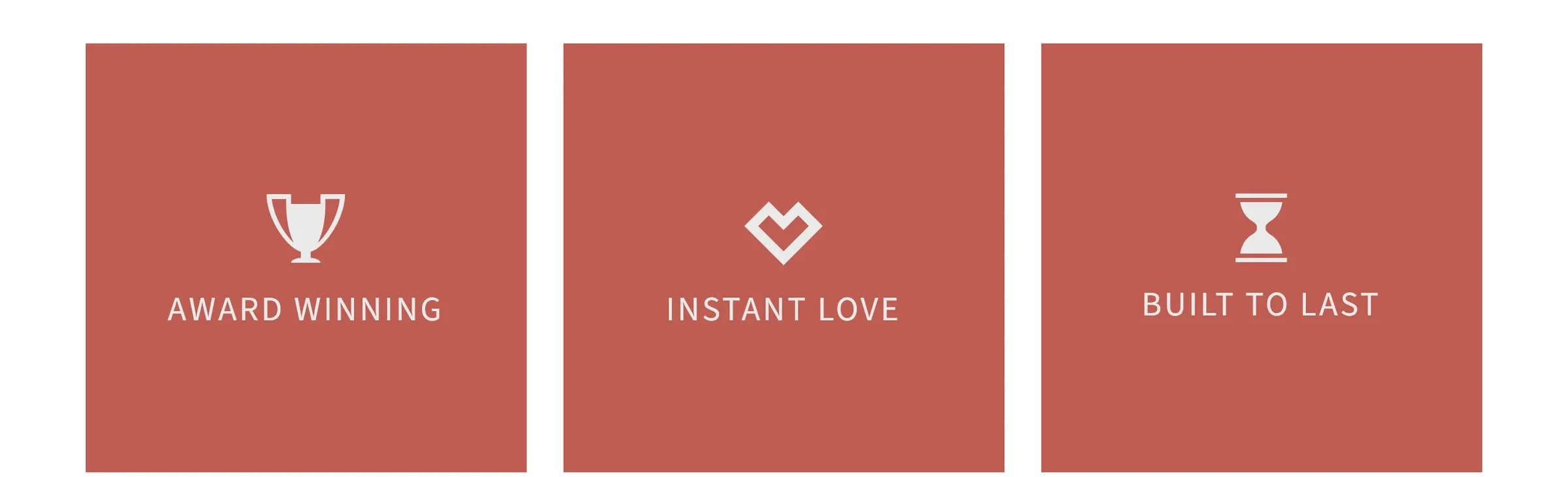
Add it
In WPBakery, click Add Element and pick Flip Box from the Highend Shortcodes category. Or use the shortcode (see Shortcode).
Settings
Horizontalflip_directionWhich axis the box flips on. Options: Horizontal, Vertical.
350min_heightMinimum height of the box, in pixels.
Box front
Colorfront_background_typeOptions: Color, Image.
#BF5D52front_background_colorAppears when Background Type is Color.
front_background_imageAppears when Background Type is Image.
Iconicon_typeOptions: None, Image, Icon.
imageAppears when Icon Type is Image.
hb-moon-brainiconAn icon name (see the icon list). Appears when Icon Type is Icon. The field itself is blank in WPBakery: leaving it empty still falls back to hb-moon-brain.
48icon_sizeIcon size in pixels. The field is blank in WPBakery; leaving it empty falls back to 48.
Inheriticon_colorLeave empty to inherit the theme's default icon color.
front_titleThe front side's heading.
Inheritfront_title_sizeTitle size in pixels. Leave empty to inherit the theme's default heading size.
Inheritfront_title_colorLeave empty to inherit the theme's default heading color.
front_descThe front side's text.
Inheritfront_desc_sizeText size in pixels.
Inheritfront_desc_colorLeave empty to inherit the theme's default text color.
Box back
Colorback_background_typeOptions: Color, Image.
#5B6C7Dback_background_colorAppears when Background Type is Color.
back_background_imageAppears when Background Type is Image.
back_titleThe back side's heading.
Inheritback_title_sizeTitle size in pixels.
Inheritback_title_colorLeave empty to inherit the theme's default heading color.
back_descThe back side's text.
Inheritback_desc_sizeText size in pixels.
Inheritback_desc_colorLeave empty to inherit the theme's default text color.
button_textLeave empty to hide the button.
button_urlWhere the button links to.
Offbutton_targetStandardbutton_colorOne of Highend's 25 named button colors: Standard, Turqoise, Green Sea, Sunflower, Orange, Emerald, Nephritis, Carrot, Pumpkin, Peter River, Belize, Alizarin, Pomegranate, Amethyst, Wisteria, Wet Asphalt, Midnight Blue, Concrete, Asbestos, Darkly, Light, Light III, Dark II, Dark III, Yellow.
Before Highend 4.5.1, picking Belize or Light III produced a button with no color. Update Highend to fix existing buttons automatically.
Common settings
Flip Box also has Entrance Animation, Entrance Delay, and Extra class name fields (see the Elements overview).
Shortcode
[hb_flip_box front_background_color="#bf5d52" back_background_color="#5b6c7d" button_color="second-light" icon="hb-moon-trophy" icon_size="64" icon_color="#eaeaea" front_title="Award Winning" front_title_size="28" front_title_color="#eaeaea" back_title="Best design of 2016" back_title_size="18" back_title_color="#eaeaea" back_desc="Recognized for outstanding UI and UX design." back_desc_color="#eaeaea" button_text="View Project" button_url="#"]Flip Box takes no content between its tags: every piece of text is a separate attribute (front_title, front_desc, back_title, back_desc, and so on).