Fullwidth Map
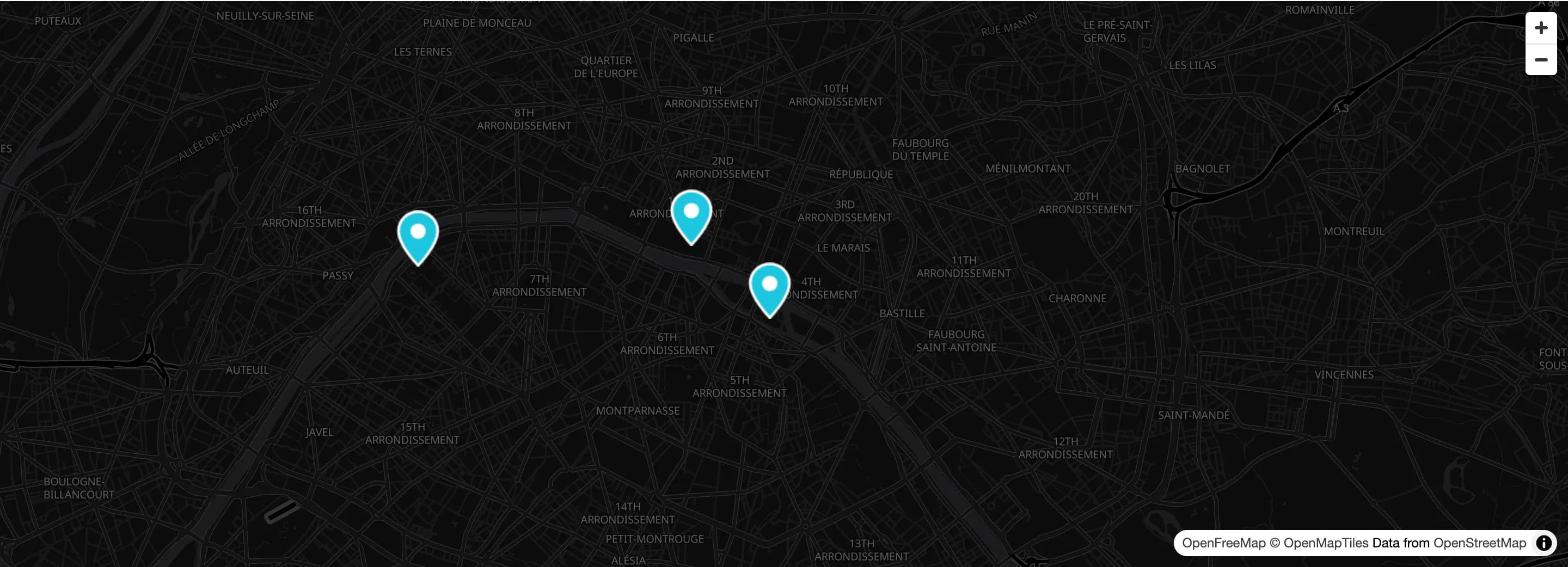
An embedded map (OpenStreetMap or Google Maps) that stretches edge to edge, with no side padding.
Fullwidth Map is the same embedded map as Map, but rendered without side padding so it stretches edge to edge, a common choice for a Contact page.
The map uses the provider chosen under HighendHighend OptionsMap Settings. OpenStreetMap works without any setup; Google Maps needs an API key. See Map Settings.
Add it
In WPBakery, click Add Element and pick Fullwidth Map from the Highend Shortcodes category. Or use the shortcode (see Shortcode). Place it directly in the content area, outside any row or column, so it can stretch edge to edge.
Settings
Nofrom_toWhen Yes, centers the map on the Map Center Latitude/Longitude saved under HighendHighend OptionsMap Settings (ignoring this element's own Latitude/Longitude below) and plots Location 1 (always shown) plus any of Location 2–10 you've individually enabled there, each with its own info popup on click. When No, the map shows a single marker at the Latitude/Longitude you set here.
48.856614latitudeLatitude the map centers on, when Use values from Highend Options > Map Settings is No. Use LatLong to look up coordinates for an address.
2.352222longitudeLongitude the map centers on, when Use values from Highend Options > Map Settings is No.
16zoomZoom level from 1 (whole earth) to 18 (street level).
custom_pinCustom marker image for this map. Leave empty to use the marker image set under HighendHighend OptionsMap Settings, if Map Settings' Custom Marker Image switch is on.
Default (Map Settings)map_styleDefault (Map Settings), Light, or Dark. Map colors for this map when the provider is OpenStreetMap, overriding the Map Style in Map Settings. Ignored with Google Maps.
350heightHeight in pixels. WPBakery shows this blank; the map is 350px tall if you leave it empty.
Position
margin_topSpace above the map. Accepts px, em, %, or a bare number (treated as pixels).
margin_bottomSpace below the map.
Unlike Map, Fullwidth Map has no Border Around Map or Styled Map fields: it always follows the sitewide Enable Styled Map setting in Map Settings, with no per-element override. Its Map Style can still be set per element.
Common settings
Fullwidth Map also has Entrance Animation, Entrance Delay, and Extra class name fields (see the Elements overview).
Shortcode
[fw_map_embed latitude="48.856614" longitude="2.352222" zoom="16" height="450px" map_style="dark"]