Callout Box
A single-line message with a left accent bar and an optional button, good for a short call to action.
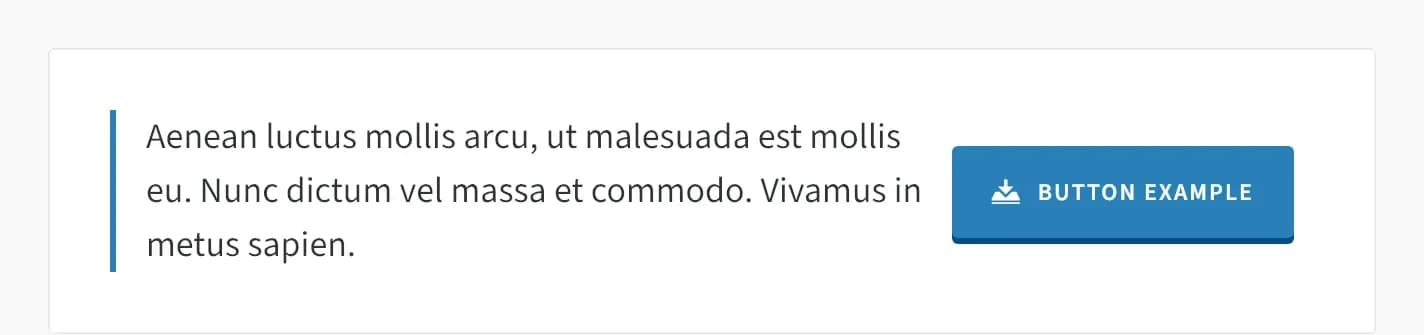
Callout Box shows a line of text with a colored accent bar on the left, plus an optional button. Use it for a short call to action, like "Get started today."
Add it
In WPBakery, click Add Element and pick Callout Box from the Highend Shortcodes category. Or use the shortcode (see Shortcode).
Settings
contentThe message text, entered between the shortcode tags rather than in a field.
titleCaption for the button. Leave empty if you don't need a button.
iconAn icon shown on the button. See the icon list.
linkWhere the button links to. You can also enter a section ID with a # prefix to scroll to a section on the same page, for example #home.
Same tabnew_tabOptions: Same tab, New tab.
Common settings
Callout Box also has Entrance Animation, Entrance Delay, and Extra class name fields (see the Elements overview).
Shortcode
[callout title="Button Example" link="#" icon="hb-moon-download-5"]Aenean luctus mollis arcu, ut malesuada est mollis eu.[/callout]The message text is the content between [callout] and [/callout]: it maps to the Callout Content field, not an attribute. Omit Button Title and Icon entirely to show text only, with no button. If you omit link entirely, Highend falls back to #.