Blog Boxes
A responsive grid of posts as cards, with optional featured image cropping, category, date, and excerpt.
Blog Boxes lists posts as a grid of cards, a common choice for a "Recent Posts" section on a homepage or a custom blog landing page.
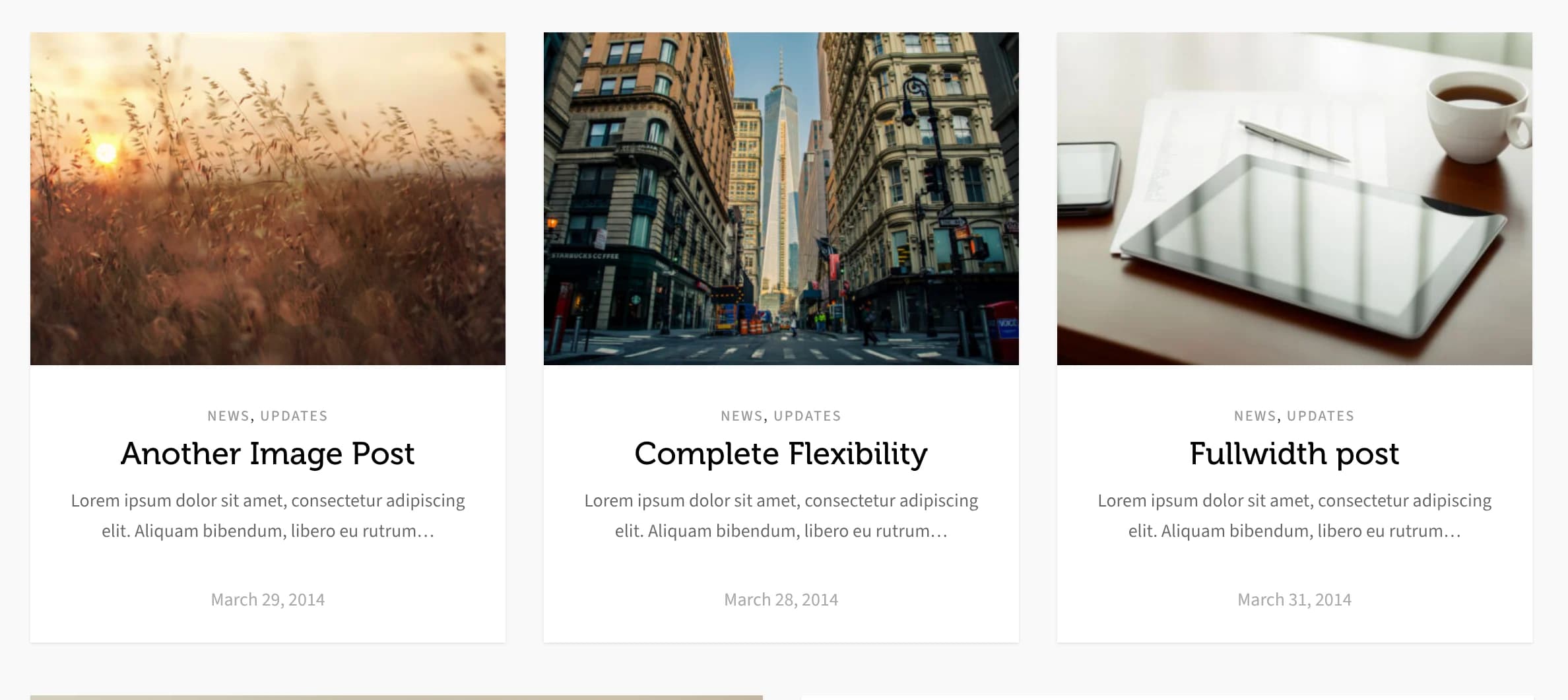
Add it
In WPBakery, click Add Element and pick Blog Boxes from the Highend Shortcodes tab. Or use the shortcode (see Shortcode).
Settings
10countHow many posts to show. Enter -1 for all posts.
3columnsCards per row, from 1 to 8.
Offshow_categoriesShows the post's category links.
Offshow_read_moreShows a Read More link in the card footer.
Offshow_dateShows the publish date in the card footer.
Offshow_excerptShows a trimmed excerpt under the title.
15excerpt_lengthWords to show in the excerpt. Appears when Show Excerpt? is on.
Offshow_featured_imageShows the featured image at the top of the card.
Offcrop_imageCrops the featured image to a fixed size instead of its native ratio. Appears when Show Featured Image? is on.
600crop_widthCrop width in pixels. Appears when Crop Featured Image? is on.
400crop_heightCrop height in pixels. Appears when Crop Featured Image? is on.
Data source
categorySearch and pick one or more categories to limit which posts appear. Leave empty for all categories.
DateorderbyOptions: Date, Title, Random, Comment Count, Menu Order.
DescendingorderDescending or Ascending.
excludeSearch and pick specific posts to leave out.
offsetNumber of posts to skip from the start of the result set.
Shortcode
[hb_blog_boxes count="6" columns="3" show_featured_image="true" crop_image="true" crop_width="500" crop_height="350" show_date="true" show_excerpt="true" excerpt_length="20"]category and exclude take comma-separated IDs when written by hand (the WPBakery field stores IDs from its search picker, not slugs, unlike Blog Carousel's plain-text Category field).