Button
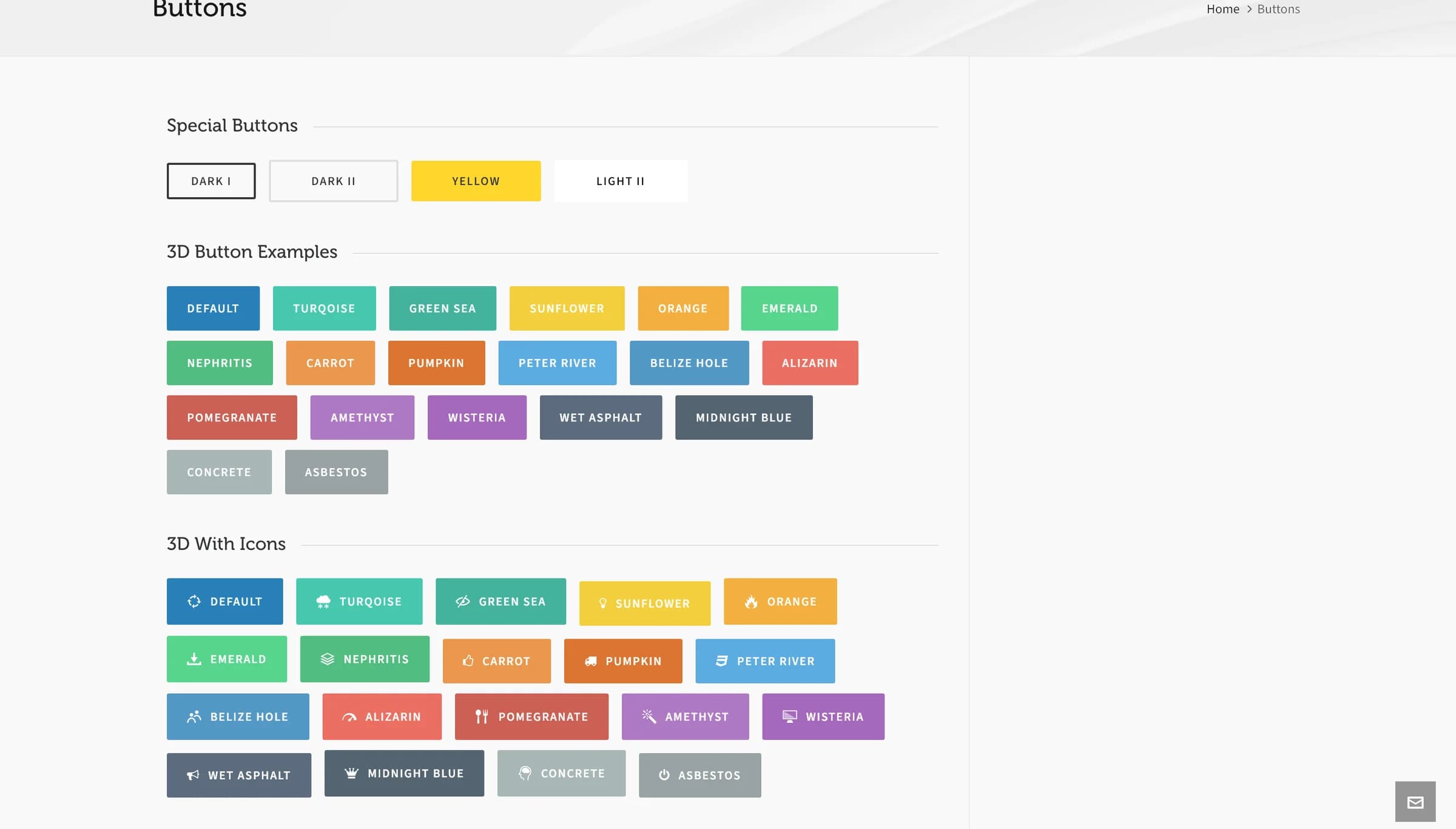
A button with 25 named colors, 3 sizes, an optional icon, and a flat or 3D style.
Button generates a styled link button, with 25 named colors, 3 sizes, an optional icon, and a flat or 3D look.
Add it
In WPBakery, click Add Element and pick Button from the Highend Shortcodes category. Or use the shortcode (see Shortcode).
Settings
titleThe button's caption, for example "Click Me".
linkWhere the button links to. Use an https:// URL, or a #section-id to scroll to a section on the same page.
Same tabnew_tabOptions: Same tab, New tab.
iconAn icon name from the icon list, for example hb-moon-loop-3. Leave empty for no icon.
Lefticon_positionOptions: Left, Push down. Push down stacks the icon above the label instead of beside it, and turns off Special Styling if it's on.
Standardspecial_styleOptions: Standard, Special. Special gives the icon its own styled badge. Only applies with Icon Position set to Left.
2border_radiusCorner radius in pixels, from 0 to 100.
Nothree_dOptions: No (flat style), Yes (3D beveled style).
StandardsizeOptions: Standard, Small, Large.
StandardcolorOne of 25 named colors: Standard, Turqoise, Green Sea, Sunflower, Orange, Emerald, Nephritis, Carrot, Pumpkin, Peter River, Belize, Alizarin, Pomegranate, Amethyst, Wisteria, Wet Asphalt, Midnight Blue, Concrete, Asbestos, Darkly, Light, Light III, Dark II, Dark III, Yellow.
Before Highend 4.5.1, picking Belize or Light III produced a button with no color. Update Highend to fix existing buttons automatically.
Common settings
Button also has Entrance Animation, Entrance Delay, and Extra class name fields (see the Elements overview).
Shortcode
[button title="Get started" link="#" new_tab="no" icon="hb-moon-loop-3" color="turqoise" size="large"]Button takes no content between tags: the label comes from the Button Title attribute.
The read_more shortcode
read_more is a lighter-weight text link, styled as an underlined "read more" link rather than a full button. It has no WPBakery mapping and isn't in the Shortcode Generator's list, so type it directly.
[read_more title="Continue reading" link="/some-page/" new_tab="no"]Prop
Type