Title
A heading with 29 preset styles, from plain H1–H6 to special, fancy, modern, and subtitle treatments.
Title renders a heading in one of Highend's preset styles: plain H1–H6, or one of the theme's special, fancy, modern, and subtitle treatments.
Add it
In WPBakery, click Add Element and pick Title from the Highend Shortcodes category. Or use the shortcode. See Shortcode.
Settings
contentThe heading text.
colorLeave empty for the theme's default heading color.
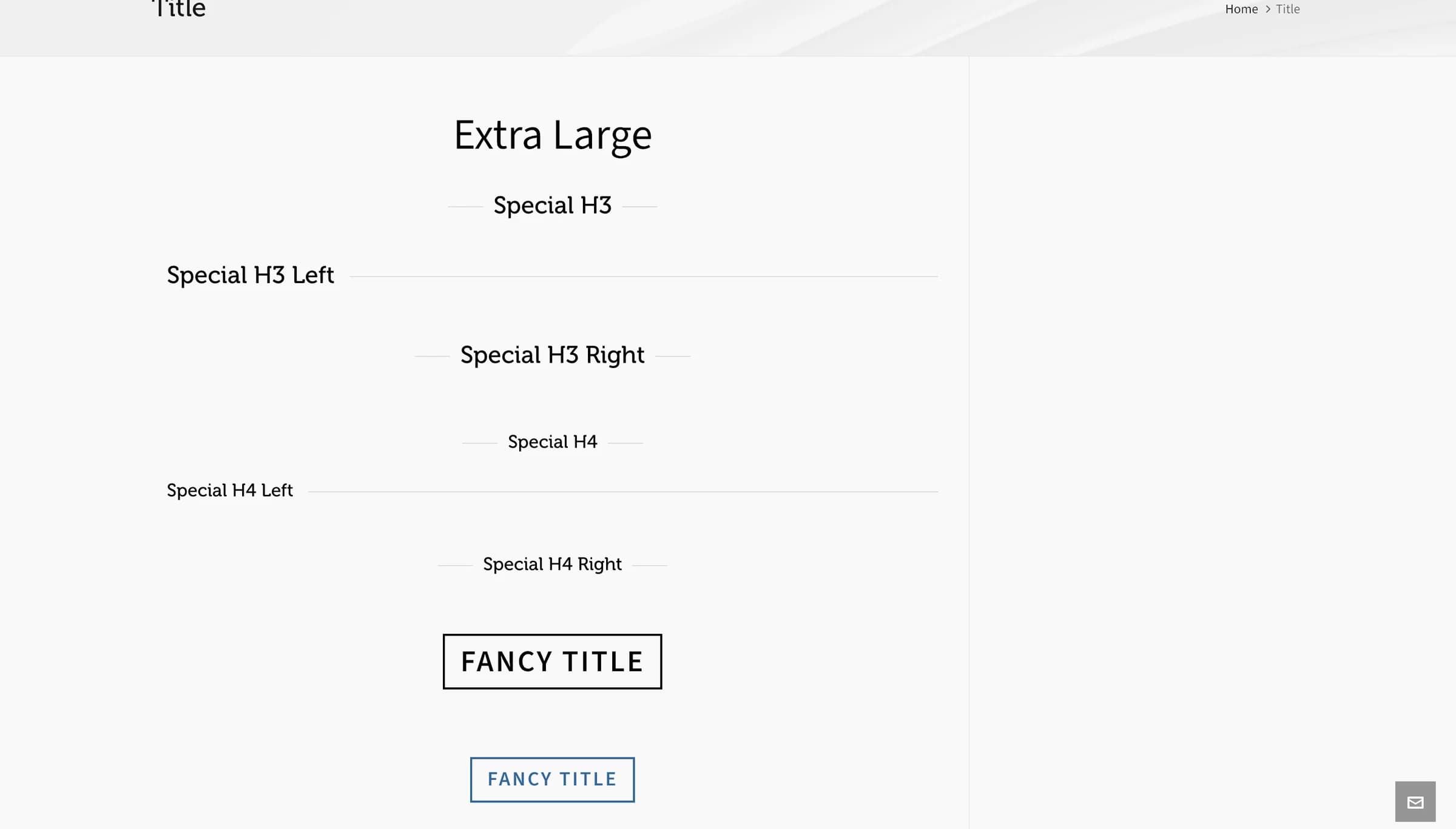
Extra LargetypeThe heading style. Options: Extra Large, H1–H6, Modern H1–Modern H6, Modern H2 Large, Special H3, Special H3 Left, Special H3 Right, Special H4, Special H4 Left, Special H4 Right, Fancy H1–Fancy H6, Subtitle H3, Subtitle H6, Special H6.
LeftalignOptions: Left, Center, Right.
hb_balanceEvens out the length of the lines, so a title doesn't end with a single short word. WPBakery's Custom Heading element has the same setting. Browsers without support wrap the text as usual.
Common settings
Title also has Entrance Animation, Entrance Delay, and Extra class name fields. See the Elements overview.
Shortcode
[title type="special-h3" color="#000000" align="center"]Client Testimonials[/title]The heading text is the content between [title] and [/title], not an attribute. If you omit align, the shortcode falls back to the browser's default alignment (left) rather than the WPBakery panel's pre-selected Left; the practical result is the same, but no alignleft class gets added unless you set it explicitly.
Tips
Extra Large renders as a styled paragraph, not a real heading tag; use an H1–H6 type instead when the text should be a true heading for SEO or accessibility.