Info Message
A colored notification box for info, warning, success, or error messages, each with its own icon.
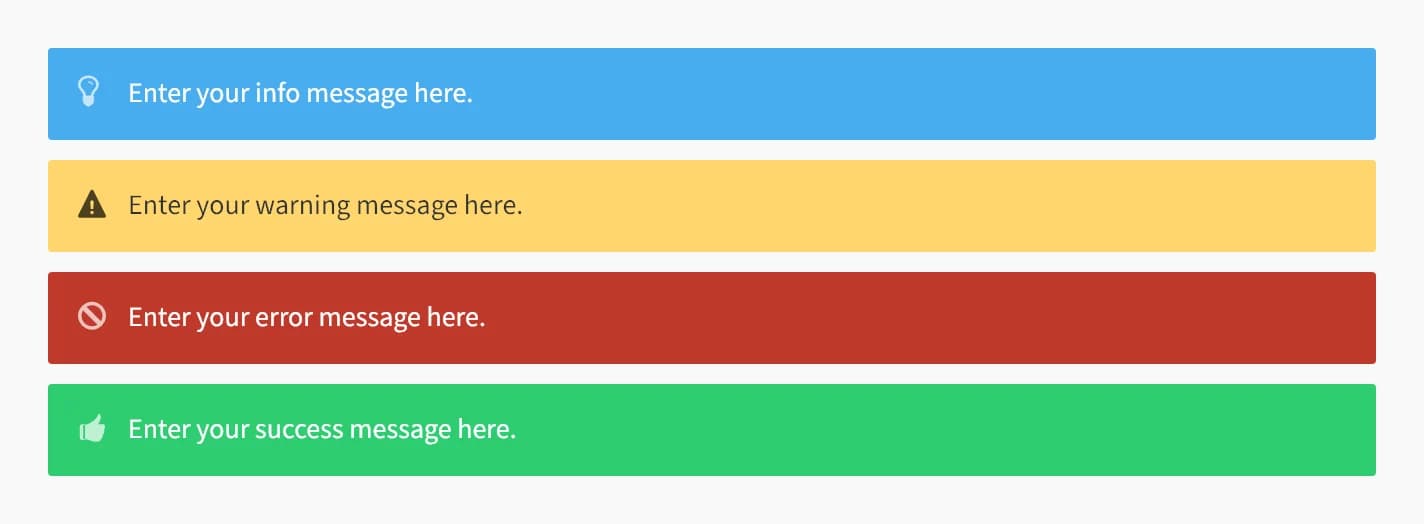
Info Message shows a short block of text in a colored notification box, with an icon that matches the message style. Use it to call out tips, warnings, or status messages in your content.
Add it
In WPBakery, click Add Element and pick Info Message from the Highend Shortcodes category. Or use the shortcode. See Shortcode.
Settings
InfostyleSets the box's color and icon. Options: Info (blue, lightbulb), Warning (yellow, warning), Success (green, thumbs up), Error (red, blocked).
contentThe message, entered between the shortcode tags rather than in a field.
Common settings
Info Message also has Entrance Animation, Entrance Delay, and Extra class name fields. See the Elements overview.
Shortcode
[info_message style="warning"]Enter your warning message here.[/info_message]The message text is the content between [info_message] and [/info_message]; it maps to the Message text field, not an attribute.