Blog Minimal
A compact list of posts with a small round thumbnail, title, date, and excerpt, built for sidebars.
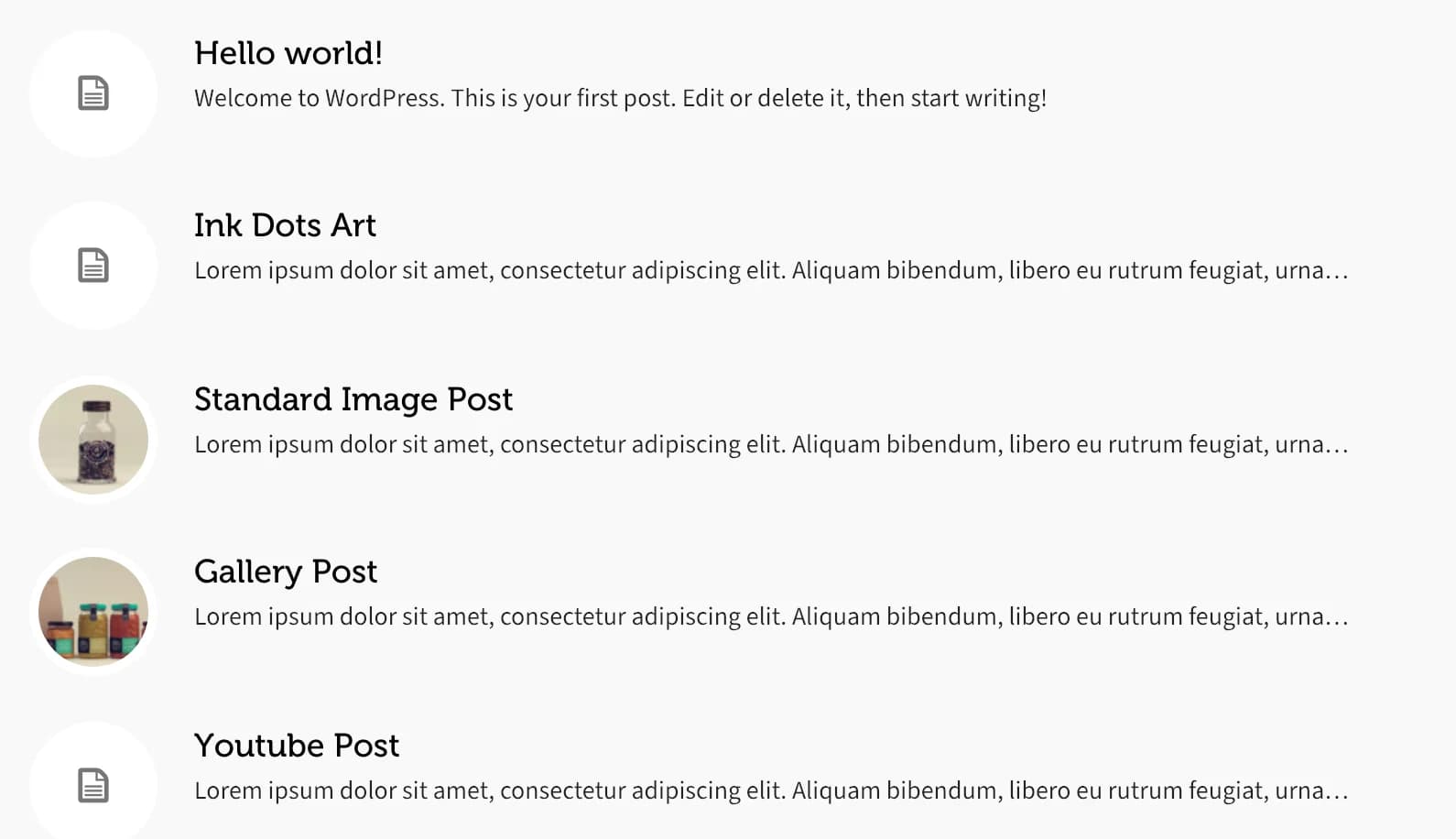
Blog Minimal lists posts as a simple, compact row per post: a small circular thumbnail (or a post-format icon when there's no featured image), the title, and an excerpt. It reuses the same layout as Highend's search results, so it's built to sit in a narrow column like a sidebar.
Add it
In WPBakery, click Add Element and pick Blog Minimal from the Highend Shortcodes tab. Or use the shortcode (see Shortcode).
Settings
10countHow many posts to list. Enter -1 for all posts.
Onshow_featured_imageShows the post's featured image as a small circular thumbnail. When a post has none, Highend shows an icon that matches its post format instead (a play icon for Video, a pencil for Standard, and so on).
Onshow_dateShows the publish date next to the title.
Onshow_excerptShows a trimmed excerpt under the title.
15excerpt_lengthWords to show in the excerpt. Appears when Show Excerpt? is on.
Data source
categorySearch and pick one or more categories to limit which posts appear. Leave empty for all categories.
DateorderbyOptions: Date, Title, Random, Comment Count, Menu Order.
DescendingorderDescending or Ascending.
excludeSearch and pick specific posts to leave out.
offsetNumber of posts to skip from the start of the result set.
When both Show Featured Image? and Show Date? are on, the date can render underneath the round thumbnail instead of beside it. A spacing rule in the theme's CSS doesn't match the class this element actually outputs for the date. It's cosmetic (the date text is still there, just partly hidden), but worth knowing if a post's date looks like it's missing.
Shortcode
[hb_blog_minimal count="5" show_featured_image="true" show_date="true" show_excerpt="true" excerpt_length="15" category="12"]category and exclude take comma-separated IDs when written by hand (the WPBakery field stores IDs from its search picker, not slugs, unlike Blog Carousel's plain-text Category field).